Quick Answer: Oumomo lets you download a TikTok video for free in 3 steps: copy the link, paste the URL, and save an MP4 file. In 2026, this helps creators, sellers, and marketers keep clean video references without relying on screen recording or watermark-heavy downloads.
Last updated: July 2, 2026
Meta title: Free TikTok Video Downloader 2026 | Oumomo
Meta description: Download TikTok videos for free with Oumomo. Paste a TikTok link, save MP4 videos, study viral videos, and create better AI ads.
URL slug: /free-tiktok-video-downloader-2026
Focus keyword: TikTok video downloader
Secondary keywords: link to video, url to video, viral videos, ai ads, image to video ai
Why TikTok Video Downloading Matters in 2026
TikTok is full of short videos that people want to keep: product demos, creator reviews, tutorials, trend examples, viral videos, and ad formats worth studying later. The problem is simple: many TikTok videos are difficult to download cleanly, and many available downloads still include a visible watermark.
For casual users, that is annoying. For creators, TikTok Shop sellers, dropshippers, and ecommerce teams, it can slow down the entire content workflow. A useful TikTok downloader should help you turn a TikTok link to video file quickly, so you can save a reference, review the structure, and learn from what is already working in the feed.
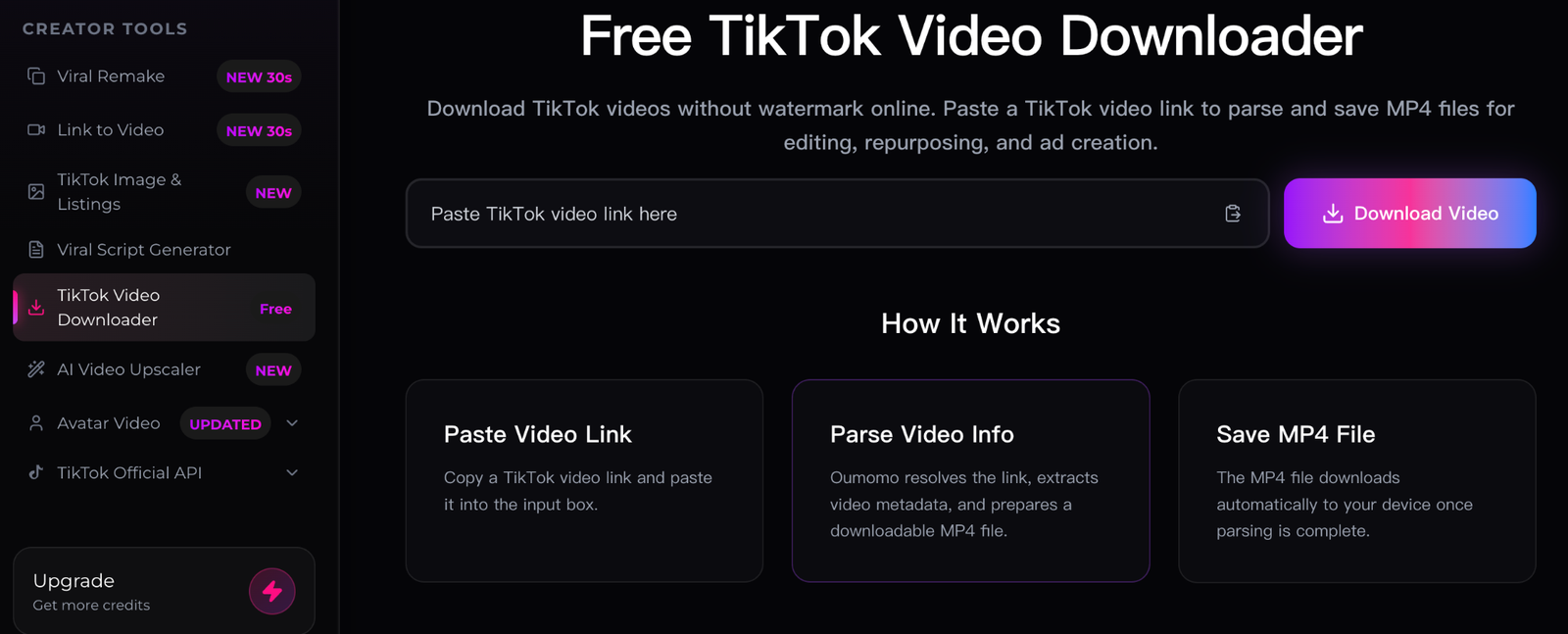
That is why Oumomo offers a free TikTok Video Downloader:
https://www.oumomo.ai/tiktok-video-downloader
What Oumomo’s Free TikTok Video Downloader Does
Oumomo’s TikTok Video Downloader is built for a simple url to video workflow. You copy a TikTok video URL, paste it into Oumomo, and download the parsed video as an MP4 file.
| User need | How Oumomo helps |
|---|---|
| Save a TikTok video for later | Paste the link and download the MP4 file |
| Study viral video structure | Build a reference library of hooks, pacing, scenes, and captions |
| Avoid screen recording | Use a direct downloader instead of recording your phone screen |
| Prepare creative research | Collect examples before making ai ads or product videos |
| Improve unclear footage | Use Oumomo AI Video Upscaler after downloading |
Oumomo is especially useful when you want to review a viral video, compare several product demonstrations, or save short-form examples for your next TikTok campaign.
How to Download a TikTok Video for Free with Oumomo
The process is designed to stay lightweight. You do not need editing software, browser extensions, or a complicated setup.
Step 1: Copy the TikTok Video Link
Open TikTok and find the video you want to save. Tap share, then copy the video link.
Step 2: Paste the Link into Oumomo
Open the Oumomo TikTok Video Downloader and paste the copied URL into the input box.
TikTok Video Downloader:
https://www.oumomo.ai/tiktok-video-downloader
Step 3: Save the MP4 File
Oumomo parses the video and prepares a downloadable MP4 file. After that, you can save the video to your device for personal reference, content research, editing inspiration, or permitted creative workflows.
From Link to Video: A Cleaner Workflow for Creators
A good downloader should make the link to video process feel obvious: copy the TikTok URL, paste it, and save the file. Oumomo keeps the url to video workflow simple so creators can focus on what the video teaches, not on how to capture it.
This matters because the best TikTok ideas often disappear inside the feed. If you are researching viral videos, a saved reference library lets you compare what makes one viral video different from another:
- The opening hook
- The first product shot
- The caption style
- The creator’s pacing
- The call to action
- The comment-triggering angle
- The offer or product demonstration
For teams trying to create ads for TikTok video with AI, downloading references is often the first step. You can study real content before asking an AI tool to generate new concepts, scenes, scripts, or variations.
How TikTok Downloads Help with AI Ads and Product Videos
AI can make content production faster, but strong output still starts with strong references. If you are making ai ads, downloaded TikTok videos can help you understand what shoppers are already responding to.
For example, an ecommerce team can download 10 to 20 TikTok videos in the same product category, then compare their hooks, visual rhythm, offer framing, and product proof. That research can guide ad creative ai workflows, making AI-generated concepts more grounded in real TikTok behavior.
This is also useful for ai dropshipping sellers. Dropshipping teams often need to test products quickly, so they need fast ways to collect references, understand viral angles, and produce new product videos without a long production cycle.
What If the Downloaded TikTok Video Is Not Clear Enough?
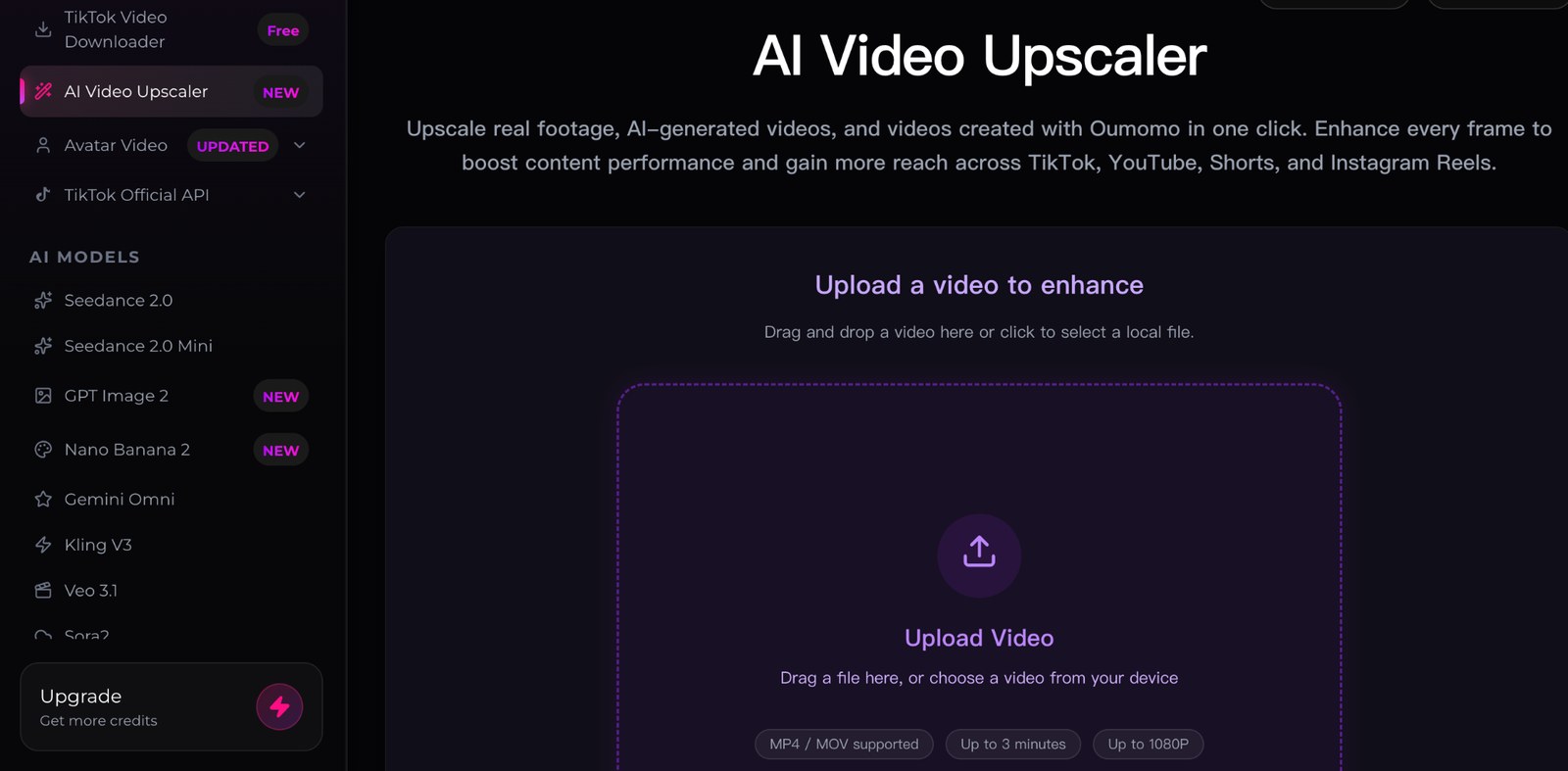
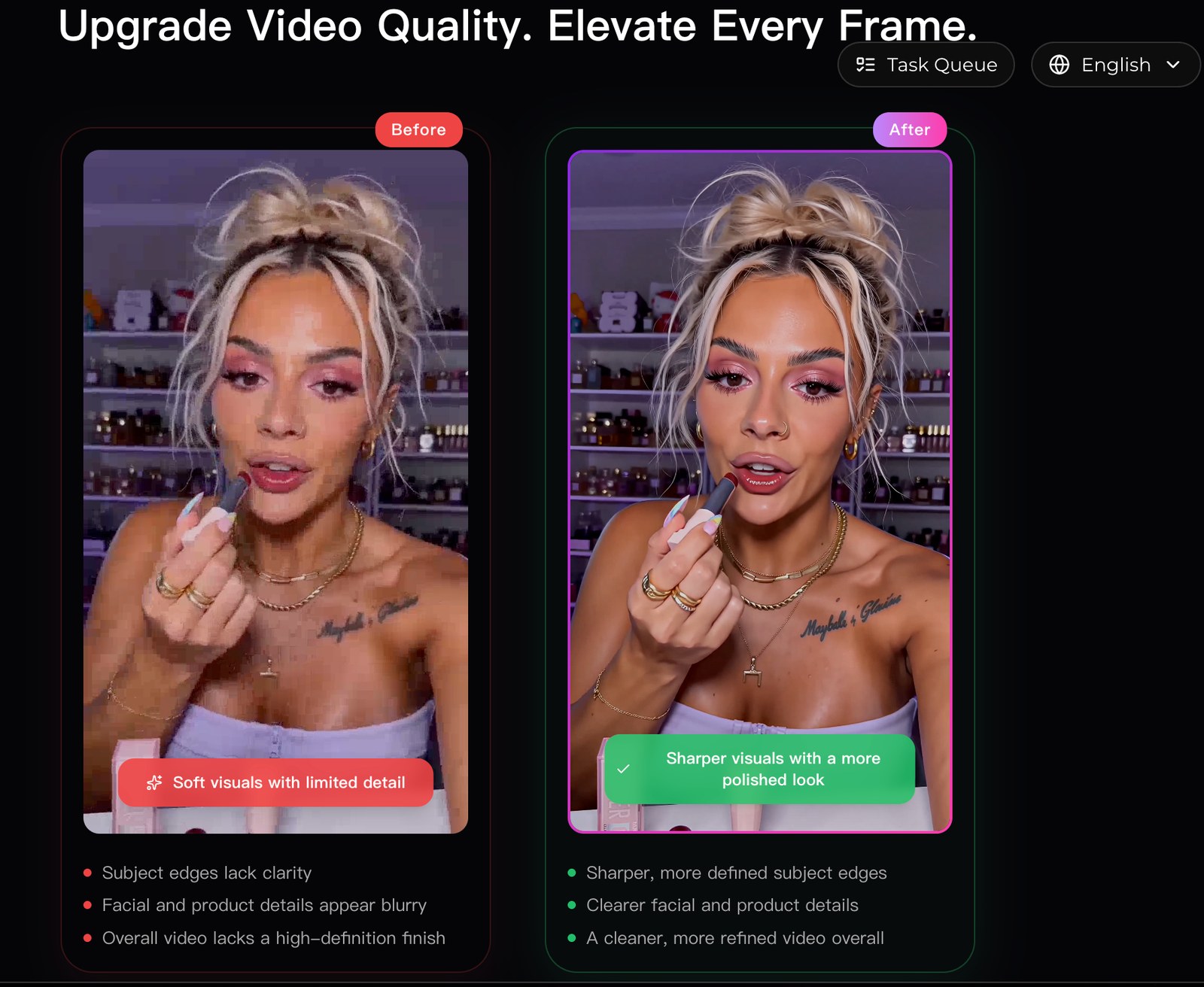
Some downloaded videos may look soft or compressed, especially if they were reposted, screen-recorded, or uploaded at a lower resolution. When that happens, Oumomo’s AI Video Upscaler can help improve clarity before you review or reuse the footage in an approved workflow.
AI Video Upscaler:
Before/After:
https://www.oumomo.ai/ai-video-upscaler
You can upload a video, choose enhancement settings, and submit the task. The tool can help make product clips, creator videos, old short-form assets, and AI-generated videos look cleaner for review, editing, or publishing on TikTok, YouTube Shorts, Instagram Reels, and other short-video platforms.
More Than a Downloader: Oumomo for AI Image to Video Workflows
Oumomo is not only a TikTok downloader. It also supports AI video creation workflows for sellers, creators, and marketers who need faster short-form content.
Many users search for the best ai video generator because they want to create product videos without hiring a large production team. Oumomo helps users move from product idea to short-form video faster by combining downloading, enhancement, and AI video creation in one workflow.
For example, creators can use image to video ai tools to turn product images into dynamic clips. Sellers looking for ai image to video or artificial intelligence image to video workflows can use Oumomo to create TikTok-style product content from still images. If you are testing image to video ai free options, Oumomo gives you a practical way to explore AI video creation without starting from a blank editing timeline.
This makes Oumomo part of a broader set of ai marketing tools. You can collect TikTok references, enhance video quality, generate new product clips, and test creative angles with a more connected workflow.
Is Oumomo a TopView Alternative?
If you are comparing AI video platforms, Oumomo can be considered a topview alternative for creators and ecommerce teams that want more than one type of video tool.
Instead of focusing only on video generation, Oumomo supports multiple stages of the TikTok content process:
| Workflow stage | Oumomo feature |
|---|---|
| Research | Download TikTok videos for reference |
| Analysis | Study viral videos, hooks, pacing, and product scenes |
| Enhancement | Improve clarity with AI Video Upscaler |
| Creation | Generate product videos with AI |
| Testing | Produce creative variations for ai ads |
For teams comparing the best free ai video generators 2026, Oumomo is worth considering because it is not limited to one creative task. It can help with research, video saving, enhancement, and AI-powered creation, which makes it close to the best all in one ai platform for TikTok-focused sellers and marketers.
How Oumomo Fits an AI Video Generation Model Workflow
An ai video generation model is most useful when the creative direction is clear. Downloaded TikTok videos can help define that direction before generation begins.
A practical workflow looks like this:
- Download TikTok videos that match your product category.
- Identify the best hooks, scenes, captions, and proof points.
- Use Oumomo’s AI tools to create or enhance product videos.
- Generate several creative variations for testing.
- Compare results and keep improving the next batch.
This workflow helps sellers move from passive browsing to structured creative research. Instead of saving random examples, you build a reusable library of viral video patterns and turn those patterns into better AI-assisted content.
Responsible Ways to Use Downloaded TikTok Videos
Oumomo’s TikTok Video Downloader is useful for saving and studying videos, but downloaded content should be used responsibly. Treat other creators’ work as reference material unless you have the right to reuse it.
Good use cases include:
- Saving a tutorial for personal reference
- Studying a viral video format
- Reviewing creator examples with your team
- Comparing product demonstration styles
- Building inspiration for original ai ads
- Improving your own videos with AI enhancement
Avoid reposting another creator’s content as your own. If you want to publish, remix, or use someone else’s video in an ad, make sure you have the proper rights or permission.
Frequently Asked Questions
How do I download a TikTok video for free?
Copy the TikTok video link, paste it into Oumomo’s TikTok Video Downloader, and save the parsed MP4 file to your device.
Can I turn a TikTok link to video file with Oumomo?
Yes. Oumomo is designed for a simple link to video workflow. Paste the TikTok URL, let the tool parse it, and download the video file.
Can downloaded videos help me create ads for TikTok video with AI?
Yes. Downloaded references can help you understand what strong TikTok ads look like before using AI to create scripts, scenes, product clips, or new ad variations.
Is Oumomo one of the best free ai video generators 2026?
Oumomo is a strong option for users who want more than basic generation. It combines TikTok downloading, AI video enhancement, and AI video creation workflows, making it useful for sellers, creators, and marketers comparing the best free ai video generators 2026.
Start with the Free TikTok Video Downloader
Downloading a TikTok video is not just about saving a file. For creators, sellers, and marketers, it can be the beginning of a better content workflow.
With Oumomo, you can download TikTok videos for free, study viral formats, improve video clarity, and create your own AI-powered product videos.
Start with the free TikTok Video Downloader:
https://www.oumomo.ai/tiktok-video-downloader
If the video quality is not clear enough, try Oumomo AI Video Upscaler:
https://www.oumomo.ai/ai-video-upscaler
Whether you are saving videos for inspiration, researching ai videos that went viral, testing ai ads, or building better TikTok Shop content, Oumomo gives you a simple way to download, enhance, and create stronger short-form videos.