Creating short-form product videos used to mean filming multiple clips, finding creators, editing transitions, recording voiceovers, and producing several versions for testing. With Seeddance 2.0, you can turn product assets and a clear creative idea into new video concepts much faster.
The key is not simply choosing an AI model. Strong results come from giving the model the right materials, a focused selling angle, and practical instructions about what the viewer should see. In this guide, you will learn how to use Seeddance 2.0 for e-commerce content and how to create product videos through Oumomo AI.
What Can You Create with Seeddance 2.0?
Seeddance 2.0 is an AI video-generation model that helps transform written direction and visual references into short videos. It can be used for product demonstrations, TikTok-style UGC ads, lifestyle videos, problem-and-solution concepts, and other social-first creative formats.
For sellers and marketers, the real value is speed. Instead of producing one expensive concept at a time, you can test different hooks, settings, characters, product benefits, and creative structures before committing to a larger campaign.
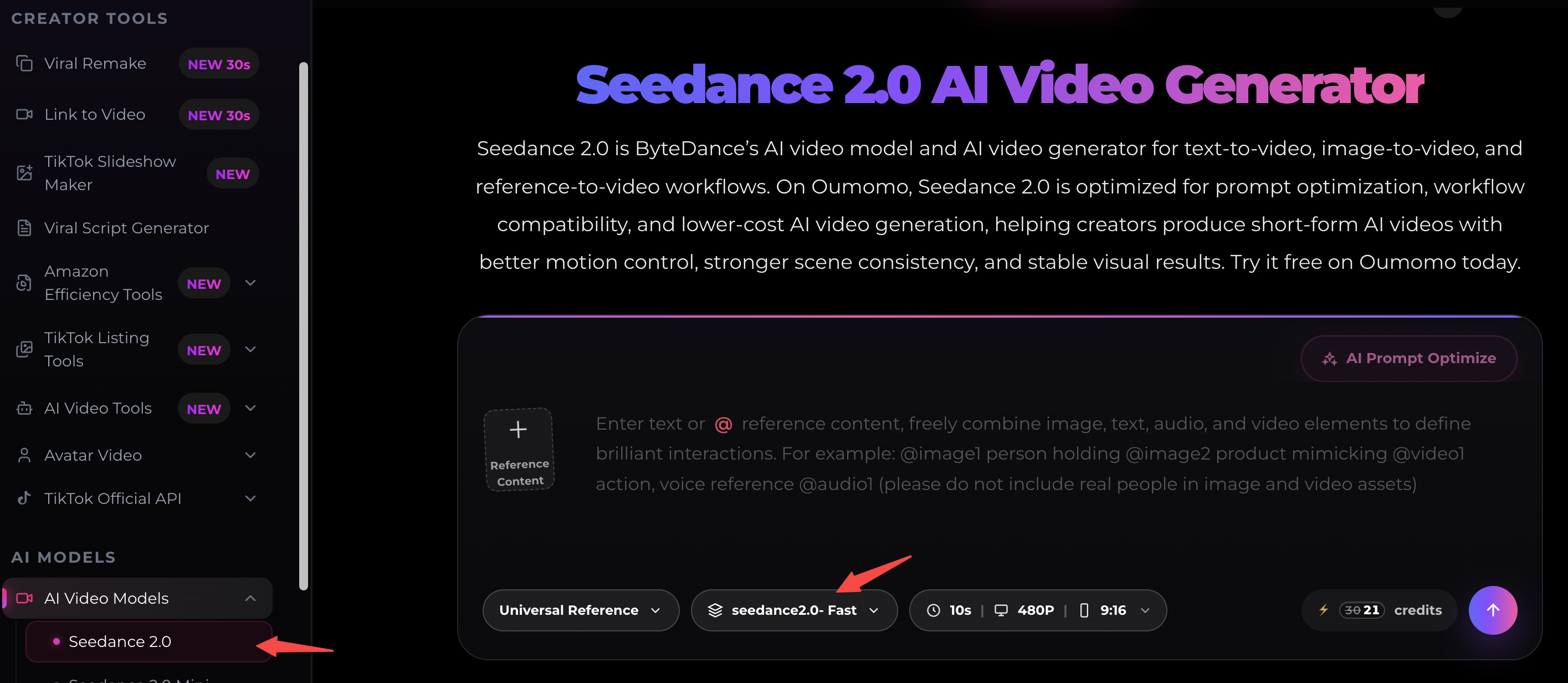
On Oumomo AI, videos generated through the platform support the Seeddance 2.0 model. This includes key workflows such as Viral Remake, Link-to-Video, and direct Seeddance generation. You can therefore start from the material you already have—whether that is a product link, product images, or a high-performing reference video.
Start with the Right Product Materials
Before creating a Seeddance 2.0 video, make sure your source assets are accurate and clear. AI generation works best when it has a strong visual reference for the product.
For a physical product, prepare several clean images from different angles. A front view, side view, detail shot, and packaging image can all help preserve the product’s appearance. White-background product images are especially useful because the object is easy to identify without distracting backgrounds.
Pay attention to details that matter commercially: color, logo, packaging, material, shape, buttons, labels, and size. If these details need to remain unchanged, include them clearly in your instructions. A product video may look visually appealing, but it is not suitable for commerce if the generated version shows an incorrect colorway, logo, or design.
You should also decide the main selling point before generation. Do not try to communicate every feature in one 15-second video. Pick one central message, such as a skincare product that fits into a quick morning routine, a portable gadget that solves a travel inconvenience, a kitchen tool that makes a familiar task faster, or a fashion item that completes several everyday outfits. A single, focused idea will usually create a more natural and memorable short video.
Choose Your Oumomo Workflow
Oumomo gives you several ways to build a Seeddance 2.0-supported video, depending on the assets and creative direction you already have.
Create a Video from a Product Link
If your product is already listed online, Link-to-Video can be a practical place to start. Add the product link, review the imported images and information, then provide the product’s key benefits and the type of video you want to create.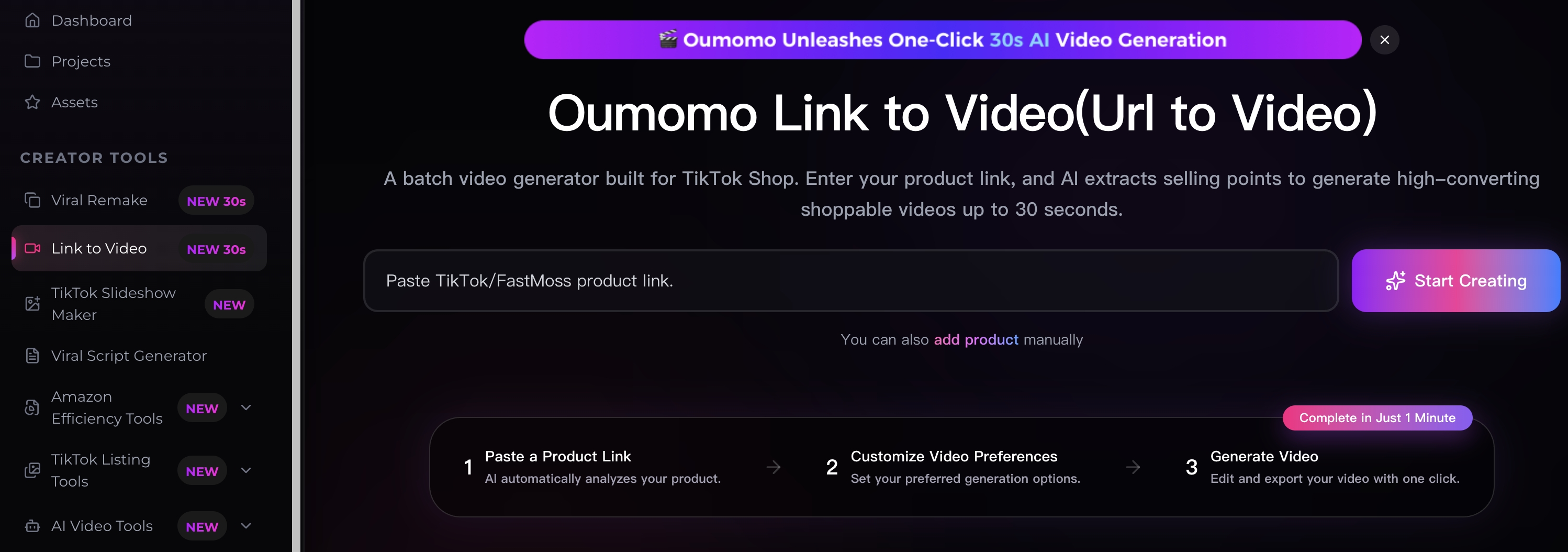
For example, you could ask for a vertical TikTok-style video that shows a compact travel steamer being used in a hotel room. The opening could show wrinkled clothing, followed by a quick demonstration and a clean final outfit shot. This turns a standard product listing into a social-ready creative concept without building every scene manually.
Before publishing, always check that the imported product information and the final visuals are correct. If the product has important design details, add those details to the prompt rather than assuming they will be understood automatically.
Turn a Winning Format into Your Own Product Story
A viral product video often succeeds because of its structure: a strong opening line, an instantly recognizable problem, a visible demonstration, and a satisfying payoff. With Viral Remake, you can use a proven content format as inspiration and adapt it to your own product.
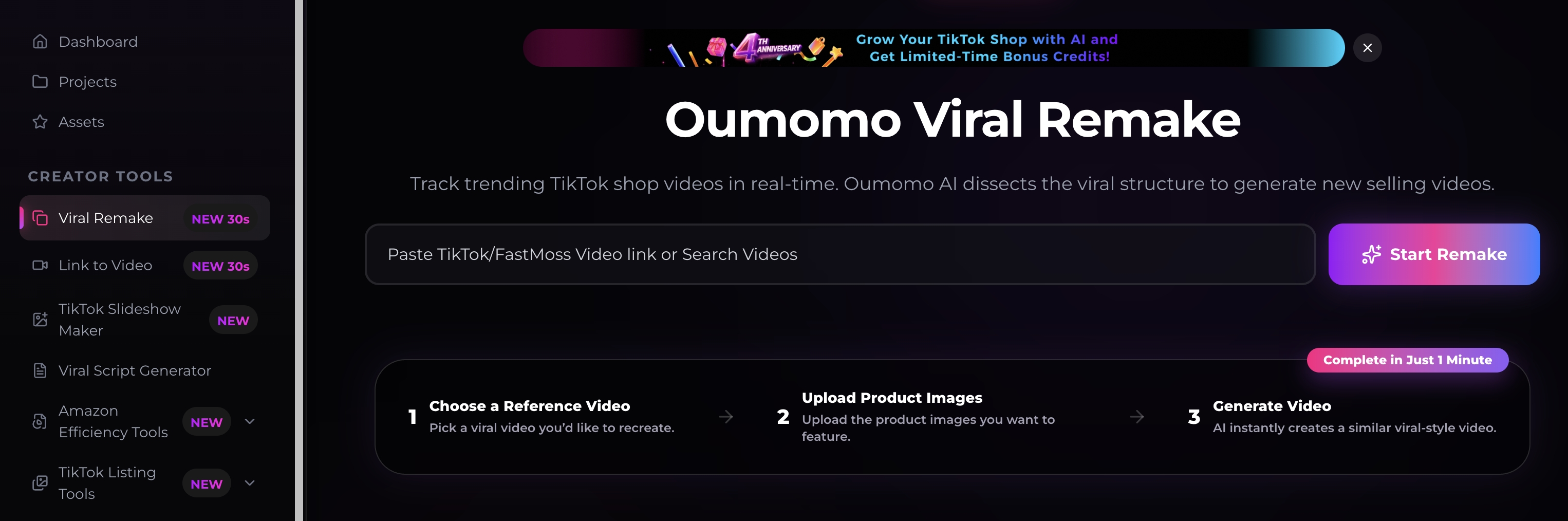
For instance, a successful reference video may begin with a creator showing a frustrating everyday problem, then reveal a product that solves it within seconds. You can keep that storytelling rhythm while changing the setting, product, dialogue, and audience to suit your brand.
The purpose is not to replicate another creator’s content exactly. Instead, identify the underlying creative principle: Why does the first second catch attention? How does the product appear? What makes the demonstration believable? Then apply that approach to your own original concept.
When using Viral Remake, provide clear product references and specify the details that must remain accurate. This is especially important for branded products, packaging-led items, and products with distinctive design features.
Generate New Concepts Directly with Seeddance
You can also generate a video directly with Seeddance when you have product images and a written idea but do not need to begin from a product link or a reference video. This is useful when you already know the creative direction you want to test.
A good Seeddance 2.0 prompt should cover five things: format, setting, action, product constraints, and tone. Here is an example for a portable blender:
Create a 15-second vertical TikTok-style video in a bright apartment kitchen. A young woman makes a berry smoothie before leaving for work. Show the compact portable blender, add fruit and milk, blend the drink, then place the blender into a tote bag. Keep the product’s white base, transparent cup, and silver logo accurate. Use natural handheld camera movement, realistic lighting, and a practical, upbeat mood. End with: “Fresh smoothies, wherever your day goes.”
This prompt gives the model enough direction to create a clear sequence without overloading the video with unnecessary instructions.
How to Get Better Seeddance 2.0 Results
The best Seeddance 2.0 videos are usually built from simple but specific creative direction. Start by showing the product or the problem immediately. Short-form viewers decide very quickly whether to keep watching, so a slow introduction often wastes valuable attention.
Use actions rather than broad claims. Instead of saying that a product is convenient, show someone using it during a rushed morning, while traveling, or in another recognizable situation. Instead of only saying that a product is durable, create a believable visual demonstration that supports the message.
Keep the scene count manageable. A short video with three clear moments—a hook, a demonstration, and a result—often performs better than a video that changes settings too often. This also makes it easier to review whether the product is visually consistent from scene to scene.
It is also worth generating several variations. You could keep the same product benefit but test different hooks: one version can begin with a question, another with a visual problem, and another with an immediate product close-up. Comparing variations helps you find a creative angle that feels more natural for TikTok, Reels, or YouTube Shorts.
A Simple Seeddance 2.0 Video Formula
For e-commerce content, a reliable structure is:
- Hook: Show an inconvenience, desire, or unexpected result in the first few seconds.
- Product reveal: Introduce the product clearly and naturally.
- Demonstration: Show how the product works or how it fits into a real situation.
- Payoff: Make the benefit visible, not just verbal.
- Soft call to action: Encourage viewers to learn more, try it, or visit the product page.
A skincare video, for example, could open with a creator getting ready in rushed morning lighting, show the product texture and application, then end with a polished but realistic ready-to-go moment. A home gadget video could open with a common household frustration, show the product solving it, and end with a simple reaction shot.
Review Every Video Before You Publish
AI video generation can greatly reduce production time, but review remains essential. Check the product design, logo, spoken language, subtitles, product claims, and any details that could affect customer trust.
For paid ads and product-page content, make sure the video does not imply unsupported performance claims. For TikTok Shop content, confirm that the product shown matches the actual listing. If something is wrong, revise the reference images or clarify your prompt, then generate another version.
Oumomo makes this process easier because Seeddance 2.0 support is available across its AI video workflows. You can create from a product link, build from a reference structure with Viral Remake, or develop an original concept directly with Seeddance—all within the same e-commerce-focused workflow.
Frequently Asked Questions
Is Seeddance 2.0 suitable for product videos?
Yes. Seeddance 2.0 can support product demonstrations, UGC-style videos, lifestyle scenes, and short-form advertising concepts. The strongest results come from clear product images and a focused creative brief.
Can I use Seeddance 2.0 for TikTok videos?
Yes. Use a vertical 9:16 format, show the product early, and build the video around one clear use case or benefit. TikTok-style content usually works best when it feels direct, natural, and easy to understand without a long explanation.
Which Oumomo features support Seeddance 2.0?
Videos generated on Oumomo AI support Seeddance 2.0, including workflows such as Viral Remake, Link-to-Video, and direct Seeddance generation, as well as other AI video-generation features on the platform.
Do I need professional editing skills?
No. You mainly need a clear understanding of your product, audience, and message. Seeddance 2.0 helps produce the initial creative, while Oumomo gives you e-commerce-focused ways to start from your existing assets.
Final Thoughts
Learning how to use Seeddance 2.0 is less about writing complicated prompts and more about making clear creative choices. Use accurate product materials, choose one strong selling angle, show the product in a believable setting, and generate several variations to test.
Whether you begin with a product link, a viral reference, or a new idea generated directly with Seeddance, Oumomo AI helps turn Seeddance 2.0 into a practical workflow for creating more product videos, testing more creative angles, and producing TikTok-ready content at a faster pace