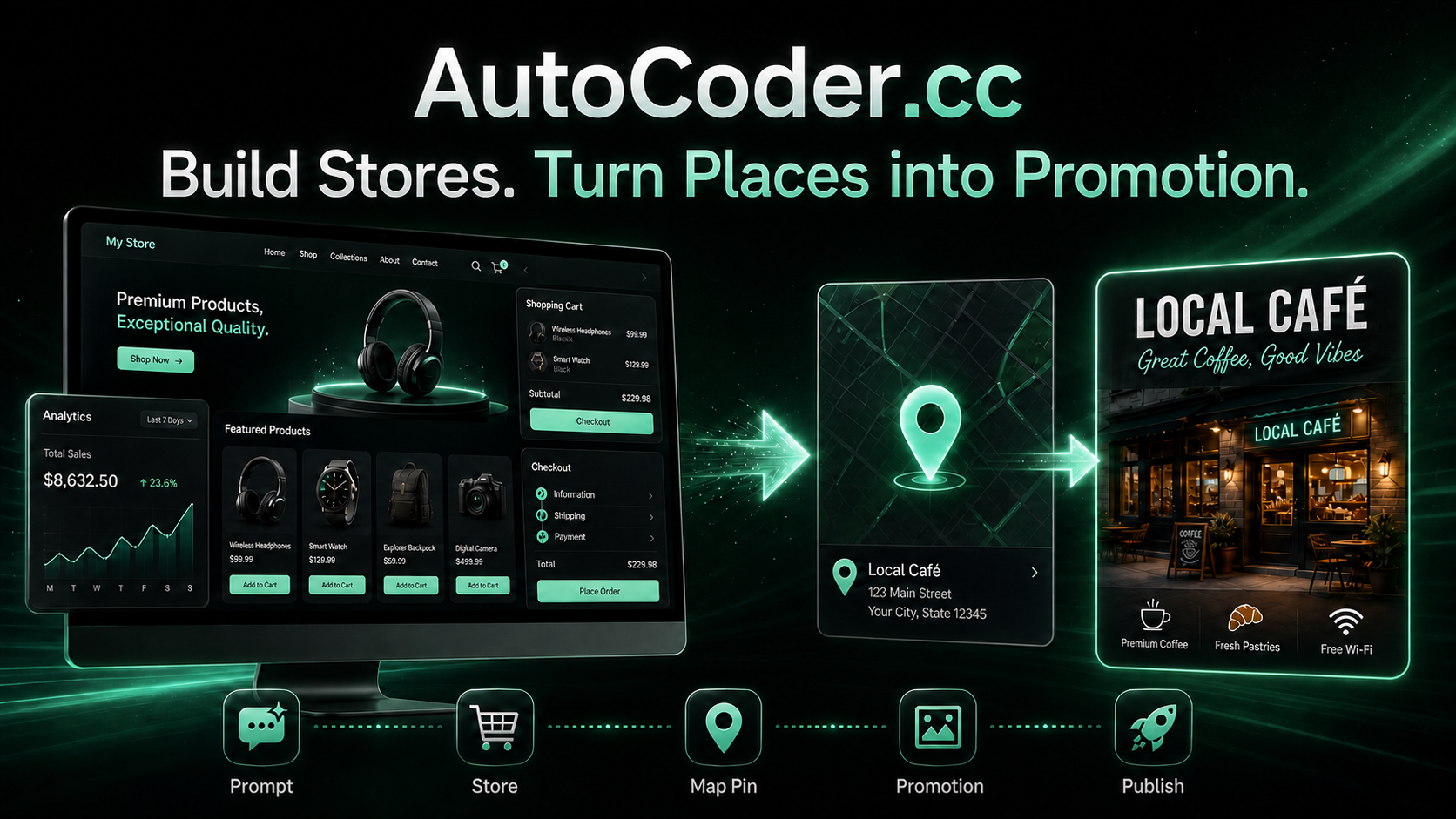
An AI ecommerce website builder is most useful when it does more than generate a polished storefront. Merchants need product pages, customer accounts, checkout flows, inventory-aware operations, order management, and a practical way to attract local customers after the site goes live. AutoCoder.cc is designed to connect those needs in one browser-based workflow.
Rather than assembling separate design, coding, database, hosting, and marketing tools, AutoCoder.cc lets a business describe what it wants to sell and generate a working full-stack commerce experience. Its Google Maps feature adds another route into creation: users can provide a location link and turn a real place into promotional content for a store, restaurant, hotel, property, park, landmark, or destination.
Why Commerce Needs More Than a Good-Looking Storefront
A modern ecommerce site is not a collection of static product cards. It must help visitors discover products, understand variations, create accounts, complete purchases, receive order updates, and trust the business behind the page. The merchant also needs a reliable administrative view for products, customers, promotions, and day-to-day operations.
Traditional site builders can make the visual layer easier, but the work often becomes fragmented once the project needs custom logic. A seller may still have to connect authentication, data storage, product relationships, order states, discount rules, dashboards, deployment, and a custom domain. Every additional service creates another configuration step and another place where the customer journey can break.
Local businesses face a second challenge: their physical location is one of their strongest marketing assets, yet it is often reduced to a small map embedded near the footer. A café, hotel, boutique, attraction, or residential development should be able to turn its location into campaign material—not merely display directions. This is where a Google Maps address can become a creative starting point rather than a passive contact detail.
What Is AutoCoder.cc?
AutoCoder.cc is an AI-powered, full-stack application builder that turns natural-language requirements into working web experiences. Users can describe pages, product structures, customer roles, business rules, data relationships, and design preferences. The platform can then generate the frontend, backend logic, database structure, authentication, and administrative functionality needed to operate the project.
For ecommerce teams, that means the starting point can be a real business brief: a fashion store with size and color variants, a bakery with scheduled pickup, a wholesaler with customer-specific pricing, or a marketplace with separate buyer and seller permissions. The goal is not only to create a visual prototype, but to build the connected workflows behind the storefront.
The Google Maps feature extends this concept beyond conventional AI ecommerce website generation. A user can submit a Google Maps location, define the promotional direction, and generate marketing visuals around the place. The location might be a commercial address, residence, park, landmark, museum, event venue, scenic viewpoint, or another mapped destination.
How to Build and Promote a Commerce Experience with AutoCoder.cc
The workflow is designed to move from a business idea to a usable digital storefront, then use real-world location context to support promotion.
1. Describe the store and its commercial model
Open AutoCoder.cc and explain what the business sells, who the customers are, and how an order should work. Include the product categories, important filters, payment or inquiry flow, shipping or pickup rules, required customer roles, and any administrative tasks the team must perform.
A useful brief is specific about operations. Instead of requesting “a fashion website,” describe a store with collections, size and color variants, stock status, wish lists, discount codes, customer accounts, checkout, order tracking, and a dashboard for managing products and promotions. Clear business rules give the generated project a stronger structure.
2. Review the proposed pages, data, and user flows
Before treating the first output as final, review the relationship between the storefront and the backend. Confirm that product detail pages show the right information, variant selections affect availability, account permissions are appropriate, and order states match the way the business actually operates.
This review is especially important for stores with multiple audiences. A marketplace may require buyers, sellers, and administrators. A restaurant may need customers, kitchen staff, and delivery personnel. A wholesale portal may need approved accounts, tiered pricing, and purchase-order workflows. The interface and the underlying permissions should tell the same operational story.
3. Refine the storefront through chat and visual editing
Use follow-up instructions to add pages, change workflows, improve product discovery, or adjust business logic. Visual editing can be used for text, imagery, colors, and layout details, while conversational changes can address deeper requirements such as data fields, customer roles, filters, or approval steps.
For a campaign launch, a merchant might ask for a seasonal collection page, a homepage promotion banner, a members-only discount, low-stock messaging, and a revised mobile navigation. The important point is that the project can be refined as one connected system rather than redesigned as a collection of disconnected screens.
4. Turn a Google Maps link into promotional content
Copy the Google Maps URL for the place you want to promote and provide it as the starting location. Then describe the intended campaign: a grand opening, a neighborhood spotlight, a weekend event, a seasonal offer, a travel recommendation, a property listing, or a destination guide.
The location is not limited to a storefront. It can represent a restaurant, hotel, residential address, office, park, landmark, museum, event venue, tourist attraction, or scenic destination. The creative direction can highlight the type of place, local identity, nearby context, visitor experience, offer, or call to action. The resulting visual can support social posts, digital advertising, landing pages, business listings, and local campaigns.
5. Publish, test, and improve the customer journey
Publish the project to an AutoCoder.cc subdomain or connect an eligible custom domain. Test the full experience on mobile and desktop: product discovery, account creation, forms, checkout or inquiry steps, confirmation states, and the administrative workflow behind each customer action.
Treat the first live version as the beginning of the learning cycle. Compare which products attract attention, where visitors leave the flow, which location-based visuals perform best, and what questions customers still ask. Then refine the storefront, offer, or campaign while keeping the core project structure intact.
From a Map Pin to a Local Commerce Campaign
A Google Maps location becomes more useful when it is connected to a specific commercial message. Consider three practical patterns:
1. Store launch: A new boutique uses its location link to create an opening announcement, then directs customers to a matching ecommerce site with featured products, opening offers, directions, and local pickup information.
2. Destination-led selling: A hotel, café, museum, or attraction turns the place itself into the campaign. Promotional visuals emphasize the experience and location, while the website supports bookings, tickets, packages, merchandise, or inquiries.
3. Property and neighborhood marketing: A real-estate professional starts from a residential address and creates visuals around accessibility, nearby amenities, and neighborhood identity. The associated landing page can collect leads, schedule viewings, or present related listings.
These scenarios show why the map feature is more than a decorative integration. It can connect a real-world place with the next digital action: browse, buy, reserve, visit, inquire, or share.
How AutoCoder.cc Fits into an Ecommerce Workflow
AutoCoder.cc can be used at several points in the commerce lifecycle. A new founder can begin with an idea and build an MVP. An established retailer can create a campaign microsite, product launch experience, or internal management tool. An agency can turn a client brief into a working demonstration before committing to a longer development cycle.
For teams that need more control, eligible paid plans support source-code export. That makes full-stack ecommerce website creation useful both for nontechnical builders and for developers who want a structured starting point they can continue hosting or extending independently.
The Google Maps workflow complements the application builder by supplying location-led campaign material. A merchant can build the sales system and the promotional entry point in the same broader creative process: define the business, generate the experience, create location-focused assets, publish, and iterate.
AutoCoder.cc vs. a Generic Website Builder
A generic website builder often starts with a theme and asks the user to assemble pages. That approach can be effective for simple brochure sites, but commerce projects become more demanding when products, customers, permissions, orders, promotions, dashboards, and custom workflows must work together.
AutoCoder.cc starts from requirements rather than a blank canvas. The user can describe both what customers see and what the business needs behind the scenes. This makes the platform particularly relevant for data-driven storefronts, marketplaces, booking systems, customer portals, local ordering experiences, and other projects that combine presentation with operational logic.
The location workflow is another practical distinction. Instead of treating a map as a static embed, AutoCoder.cc can use a Google Maps link as the starting point for promotional content. That gives local businesses and destination marketers a faster route from “where we are” to “why someone should visit, book, buy, or learn more.”
Practical Tips for Better Ecommerce Builds
Begin with the customer journey, not the visual style. Define how a visitor discovers a product, evaluates it, selects options, takes action, and receives confirmation. Then describe what the business team must see or update after that action occurs.
Be precise about product data. Name the required categories, attributes, variants, prices, images, stock states, delivery rules, and customer-facing policies. If the project includes multiple roles, define what each role can view, create, edit, approve, or manage.
For Google Maps promotion, use one clear campaign objective at a time. A grand-opening visual, tourism feature, property promotion, and directions graphic serve different purposes. Name the audience, desired action, important place details, preferred style, and channel where the asset will be published.
Finally, verify all generated content before launch. Confirm address details, opening information, product facts, prices, claims, permissions, checkout behavior, and mobile layouts. AI can accelerate production, but the business remains responsible for accuracy, customer trust, and compliance with applicable platform and local requirements.
Frequently Asked Questions
Can AutoCoder.cc build a complete ecommerce website?
Yes. AutoCoder.cc is designed to generate full-stack web applications from natural-language requirements, including user interfaces, backend logic, database structures, authentication, and administrative workflows. The exact result depends on the clarity and complexity of the requested store.
What can I create from a Google Maps link?
A Google Maps link can be used as the starting point for promotional visuals and location-based campaign content. Relevant places include retail stores, restaurants, hotels, homes, offices, parks, landmarks, museums, attractions, venues, and other mapped destinations.
Is the Google Maps feature only for businesses with a storefront?
No. The location can be a residential address, public landmark, park, scenic area, tourist attraction, event venue, or another place with a meaningful story. The content should be tailored to the place, audience, and intended action.
Can I edit the generated store and promotional content?
Yes. Users can refine projects through follow-up instructions and visual editing. They can request changes to pages, features, workflows, text, images, colors, layouts, location messaging, and campaign direction.
Can I use my own domain or export the source code?
AutoCoder.cc supports publishing through its platform, while eligible paid plans provide custom-domain and source-code export capabilities. Exported projects can be hosted independently or continued by a development team.
Final Thoughts
An effective AI ecommerce website builder should connect the visible storefront with the business logic required to operate it. AutoCoder.cc brings frontend generation, backend workflows, data, authentication, editing, and deployment into one process so merchants can move from an idea to a functional commerce experience more quickly.
Its Google Maps feature gives local and place-based businesses an additional advantage: a real location can become the starting point for promotional content. Whether the subject is a boutique, restaurant, hotel, residence, park, landmark, or destination, the workflow helps turn “find us on the map” into a stronger story—and a clearer path toward visiting, booking, buying, or engaging online.