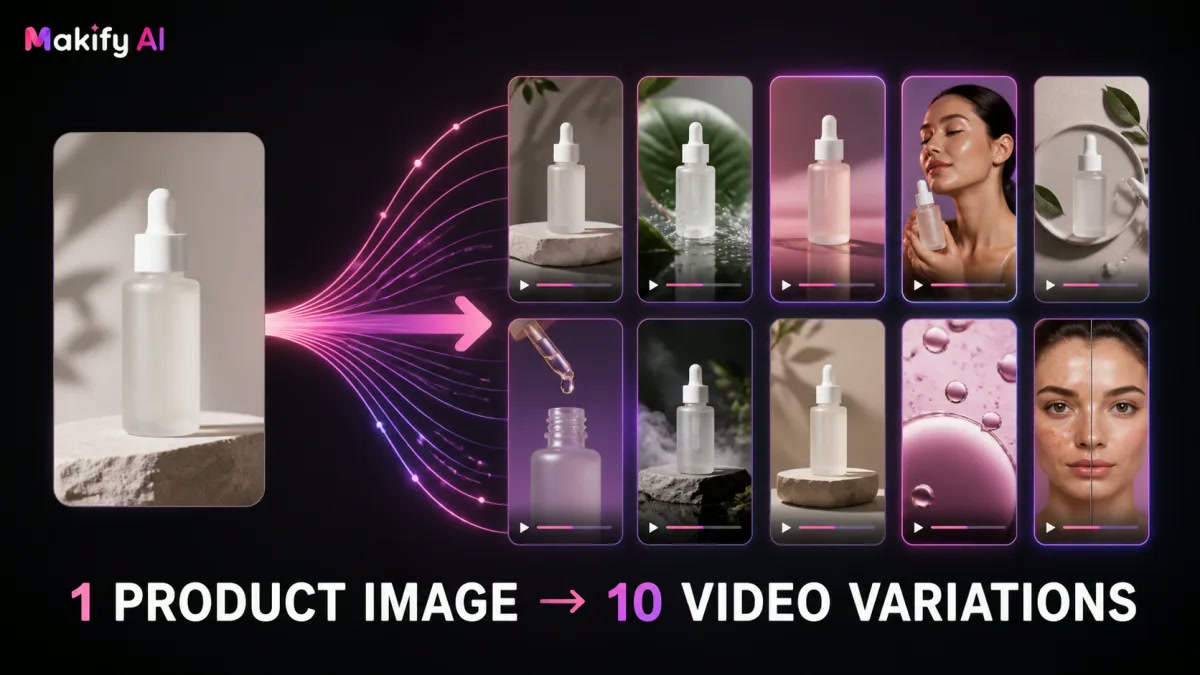
You found a winning product. You have one decent product photo. And you need content — now.
Not next week after a shipment arrives. Not after hiring a UGC creator. Now.
This is the reality for most TikTok Shop dropshippers in 2026: the testing window for any given product is measured in days, not weeks. If you can’t get multiple video variations live quickly, you’re either scaling on one creative that eventually fatigues, or you’re leaving data on the table.
The good news: one product image is enough to generate 10 genuinely different TikTok video variations using a two-step AI workflow. As of August 2026, the combination of AI image tools and AI video generators has made this not just possible, but fast — under an hour for a full batch.
This guide walks through the exact process.
Why 10 Variations from One Image?
Before diving into the workflow, it’s worth being clear on why variation matters more than volume.
TikTok’s algorithm is brutal about creative fatigue. A single ad that performs well on day one will see its cost per click creep up by day three as the same audience sees it repeatedly. Running 10 variations of the same product story — different hooks, different emotional angles, different opening frames — lets you:
- Test what resonates before spending budget on scale
- Rotate creatives to extend the lifespan of a winning product angle
- Feed the algorithm with enough signal diversity to find your best-performing audiences
Ten variations from one image isn’t overkill. It’s the minimum viable creative set for serious product testing on TikTok Shop.
The Two-Step AI Workflow
The workflow has two distinct phases:
- Image expansion — Use an AI image tool to generate product image variants (different angles, backgrounds, scenes, styles)
- Video generation — Feed those image variants into an AI video tool to produce TikTok-ready video content
Each phase compounds the other. Five image variants fed into a video tool that generates two variations per image = 10 unique videos.
Phase 1: Generate 5 Product Image Variants
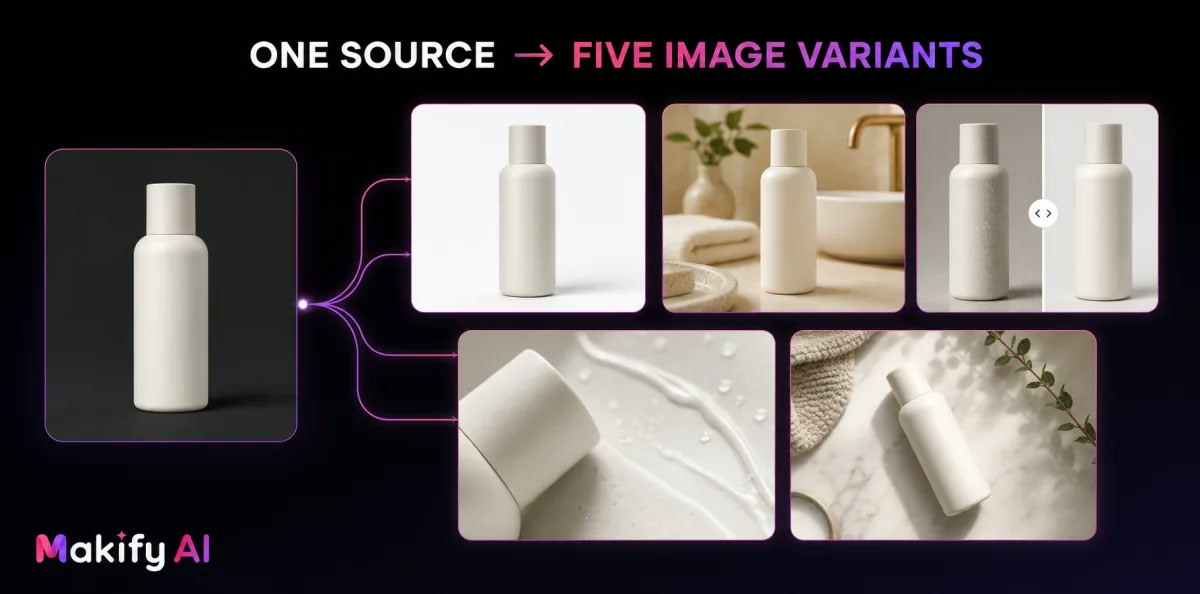
Use a consistent product identity while changing the setting, framing, texture, and commercial angle.
Starting from one original product photo, you need to create several distinct visual takes on the same product. Here’s how to approach each variant type using Makify AI’s image tools.
Variant 1: Clean White Background (Studio Shot)
What it is: Your product on a pure white background, professionally lit.
Why it works: TikTok Shop listings perform better when the product is crystal clear. This variant works well for opening frames and comparison hooks.
Prompt approach:
“Product shot of [product], pure white background, studio lighting, sharp focus, e-commerce quality, no shadows”
Makify AI’s AI Product Photography tool is built specifically for this — it handles clean product isolation from reference images.
Variant 2: Lifestyle Context Shot
What it is: The product in a realistic use environment — kitchen counter, bathroom shelf, outdoor setting.
Why it works: Lifestyle context triggers the imagination. Viewers picture themselves using the product, which drives impulse purchase behavior on TikTok.
Prompt approach:
“[Product] placed on [surface/location], natural morning light, slightly blurred background, realistic home setting, lifestyle photography style”
Variant 3: Before/After Split Frame
What it is: A visual that implies transformation — the problem state on the left, product solution on the right.
Why it works: Before/after is one of TikTok’s most consistently high-performing creative structures because it frames the product as a solution, not just an object.
Prompt approach:
“Split image: left side shows [problem scenario], right side shows [product] as the solution, clean dividing line, same lighting on both sides”
This works particularly well when you generate the before and after states separately, then merge them using Makify AI’s Image Combiner.
Variant 4: Close-Up Texture/Detail Shot
What it is: An extreme close-up highlighting the product’s material quality, texture, or key feature.
Why it works: For beauty, skincare, kitchen, and fabric products, texture sells. A tight crop that shows detail creates credibility and desire simultaneously.
Prompt approach:
“Extreme close-up macro shot of [product feature], sharp focus on texture/material, shallow depth of field, warm product lighting”
Variant 5: Multi-Angle Flat Lay
What it is: A top-down arrangement showing the product alongside complementary items — creating a curated, aspirational feel.
Why it works: Flat lays perform well as hook images because they tell a visual story about who uses the product and how it fits into a life.
Prompt approach:
“Flat lay product photo, [product] centered, surrounded by [complementary lifestyle items], pastel/neutral background, overhead view, editorial style”
If you already have a decent shot and just need a different angle, Makify AI’s Image Angle Changer can reshape perspective without a full regeneration.
Phase 2: Turn 5 Images into 10 TikTok Videos
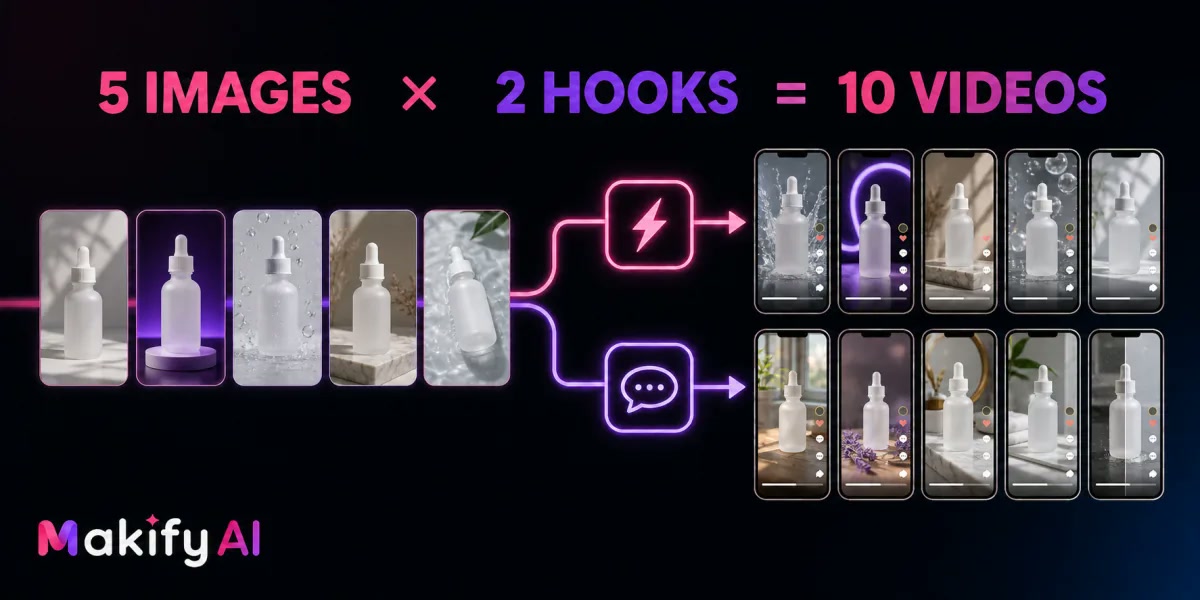
Five image directions paired with two opening-hook structures produce ten testable video variations.
With 5 image variants ready, the next step is feeding them into an AI video generator. Oumomo’s platform is designed specifically for TikTok commerce workflows — it can take product images and turn them into structured TikTok videos using proven viral formats.
For each image, generate two video variations with different structural approaches:
Video Formula A: Problem → Solution Hook
Structure: Open with a pain point visual → product enters frame → quick demonstration or reveal → soft CTA
This formula works for variants 1, 2, and 3 (the studio shot, lifestyle shot, and before/after). The opening frame sets up the problem, and the product image anchors the solution beat.
Video Formula B: Curiosity Hook
Structure: Open mid-action or with an unusual angle → product reveal → feature highlight → “wait for it” moment → CTA
This formula works best with variants 4 and 5 (close-up and flat lay). The textural detail or composition creates visual intrigue that stops the scroll in the first 0-2 seconds.
Output: 5 images × 2 video formulas = 10 TikTok video variations from one starting product image.
Practical Execution Timeline
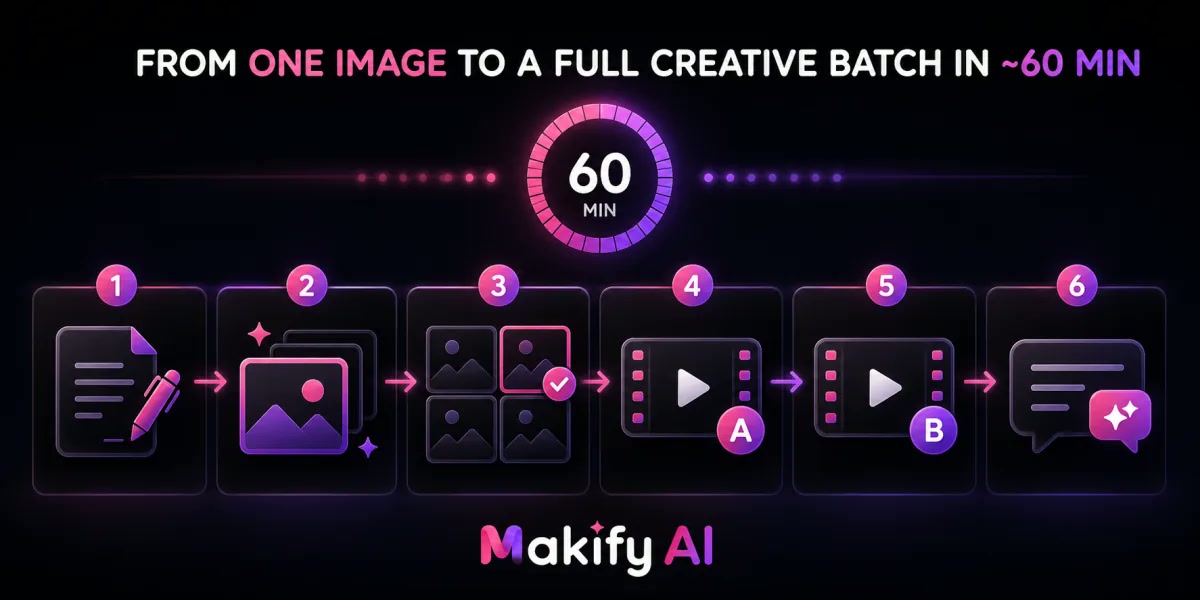
A focused six-step workflow keeps prompt writing, generation, review, and captioning within roughly one hour.
For a single product, here’s what this looks like in real time:
| Step | Action | Time |
|---|---|---|
| 1 | Write 5 image prompts based on your product | 10 min |
| 2 | Generate 5 image variants on Makify AI | 10 min |
| 3 | Review and select best outputs | 5 min |
| 4 | Set up video generation for Formula A across all 5 images | 10 min |
| 5 | Set up video generation for Formula B across all 5 images | 10 min |
| 6 | Review, trim, caption 10 videos | 15 min |
| Total | ~60 min |
Which Products Work Best with This Workflow?
Not every product category benefits equally. This workflow produces the best results for:
- Beauty and skincare: Texture shots and lifestyle context drive high engagement
- Home gadgets and kitchen tools: Before/after and demonstration formats convert well
- Fashion accessories: Multi-angle and lifestyle shots outperform studio shots alone
- Pet products: Lifestyle and context shots outperform clinical studio images
- Low-ticket impulse buys: Volume variation matters more here because testing cycles are shorter
Products that are harder to translate through this workflow: large furniture, technical equipment, or anything where the use case is complex and requires extended explanation.
Common Mistakes to Avoid
Mistake 1: Using the same image angle for all videos
Even if you have 10 videos, if they all start with the same product image framing, the creative fatigue problem doesn’t go away. Variation in the visual anchor matters as much as variation in the script structure.
Mistake 2: Skipping the lifestyle variant
Studio white-background images are clean, but they’re also cold. TikTok audiences respond to warmth and context. Include at least two lifestyle-context images in every batch.
Mistake 3: Not using image-to-video, only text-to-video
Text-to-video AI tools generate generic product representations. Image-to-video tools start from your actual product visual, which means the output is specific to your product, not a hallucinated approximation of it.
Mistake 4: Generating all 10 at once without a quick review
Spend five minutes reviewing your image variants before generating all videos. One weak image variant means two weak videos. Catching problems at the image stage saves time at the video stage.
Getting Started
The fastest way to run this workflow today:
- Start on Makify AI — the free daily check-in gives 30 credits/week, enough for several image generations to test the workflow
- Generate your 5 product image variants using the prompts above
- Feed your images into Oumomo for TikTok-native video generation
- Post, track, and rotate based on which hooks get the best 3-second play rate
The Standard plan at $29.90/month gives 300 credits — enough for around 100 GPT Image 2 generations at 1K resolution, covering multiple product batches per month with commercial licensing included.
FAQ
How many image variants do I actually need to start?
Three is the minimum viable set — one clean product shot, one lifestyle shot, and one hook-style composition. Five gives you enough variation to see meaningful differences in performance data.
Can I use any AI image tool for this workflow?
Any tool that supports image-to-video input will work. The quality of the starting image directly affects the quality of the video output, so using a tool with strong product photography capability makes a measurable difference.
What resolution should my product images be for TikTok video generation?
At minimum, 1K resolution for the source image. For TikTok’s vertical format (9:16), generating at 2K resolution and cropping gives better results. Makify AI supports 1K, 2K, and 4K generation.
Do I need the actual product in hand to run this workflow?
No. This workflow is specifically designed for situations where you don’t have the physical product — dropshipping, pre-launch, or testing phases where shooting isn’t feasible.
How different do the 10 videos need to be to avoid TikTok flagging them as duplicate content?
Different enough that the first 2 seconds look visually distinct. Different image variants at the opening frame is the most important differentiator — script variation alone is not sufficient.
What’s the best image variant to test first?
Start with the lifestyle context shot. It consistently outperforms studio shots in TikTok’s organic-feeling ad environment, and it gives you the clearest signal on whether your product angle resonates before you invest in the full 10-video set.
Is this workflow only for paid TikTok ads, or also for organic TikTok Shop content?
Both. The variation principle applies equally to organic posts — TikTok’s algorithm rewards accounts that post consistently and with creative variety. Running this workflow for organic content before running paid amplification is a common approach among high-volume TikTok Shop sellers.