Quick Answer: To make AI videos feel like real UGC in 2026, use 3 inputs: strong UGC constraints, 5-6 white-background product images, and a proven viral video structure. Oumomo helps sellers create TikTok-style AI videos that avoid cinematic ads, product redesigns, and fake creator behavior.
Why AI Videos Still Look Too Much Like AI Ads
AI video tools are getting stronger, but many TikTok Shop sellers still run into the same problem: the video looks too AI-generated.
The lighting feels too polished. The product looks slightly redesigned. The creator moves like a mannequin. The final video feels more like a TV commercial than a real creator-shot TikTok.
That is a serious problem for sellers who want to create ads for TikTok video with AI. TikTok users are used to fast, casual, imperfect content. They often skip videos that feel like traditional commercials, even when the product is good.
Oumomo is built for TikTok Shop sellers, creators, ecommerce brands, and teams doing ai dropshipping who need AI product videos that feel natural, native, and creator-made. Instead of only making videos look beautiful, the better goal is to make them feel believable.
The 5 Reasons AI Product Videos Lose UGC Realism
Most AI-generated product videos do not fail because the model is weak. They fail because the input is too vague.
| Problem | What happens in the video | How to fix it |
| Prompt is too simple | The AI defaults to cinematic or commercial style | Add clear UGC constraints and negative instructions |
| Product image is incomplete | Packaging, labels, caps, or shapes change | Upload multi-angle white-background product images |
| Scene is too polished | The video feels like a TVC, not TikTok | Use real daily-life locations and smartphone camera behavior |
| Human motion is unnatural | The face looks frozen or the body feels stiff | Require blinking, micro-expressions, and casual gestures |
| Script sounds like an ad | The dialogue feels scripted and salesy | Use one short creator-style spoken line |
This is why choosing the best ai video generator is only part of the work. A strong ai video generation model still needs the right creative direction, the right product reference, and the right constraints.
If you want ai videos that went viral, do not start by asking for a “perfect ad.” Start by describing a believable creator moment.
Step 1: Add Strong UGC Constraints to Your AI Video Prompt
If you want AI videos to feel like real UGC, you need to tell the model what not to do.
Most image to video ai tools are trained to produce attractive visuals. That can be useful for brand films, but it can hurt TikTok ads. For TikTok, the video should feel like a person filmed it quickly on a phone, not like a studio polished it for a luxury campaign.
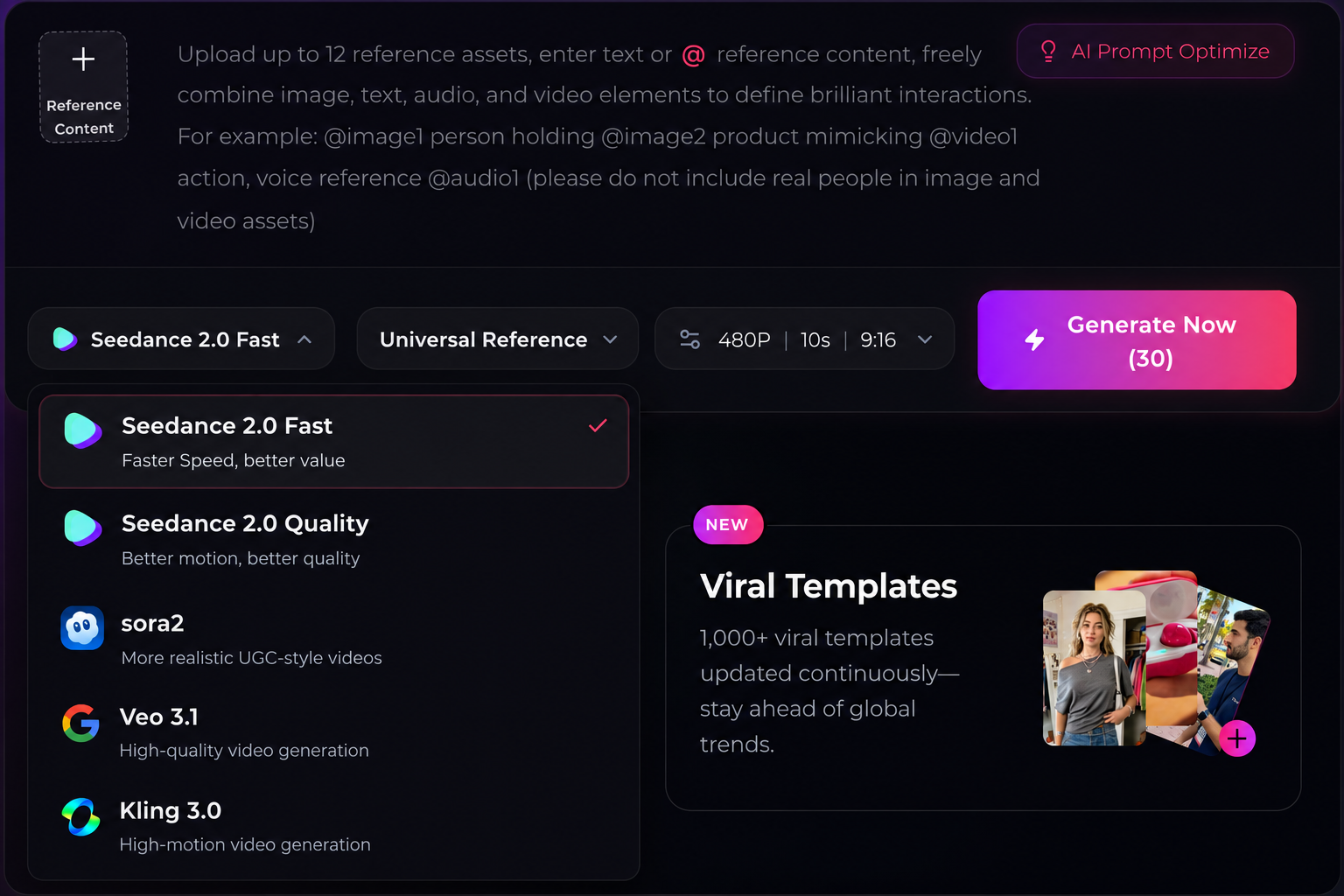
When using Oumomo, Kling, Seedance, Veo, or another artificial intelligence image to video workflow, use constraints like this:
Strong native UGC realism, creator-shot feel, casual social-video behavior, realistic smartphone camera style, handheld motion, natural indoor lighting.
No cinematic feeling, no film lighting, no TVC style, no polished commercial styling, no studio polish, no luxury-brand presentation.
Strict product consistency with the uploaded reference image. Product appearance must match the user-uploaded reference image exactly.
Natural human blinking, micro-expressions, subtle facial motion, normal casual gestures.
Background must be realistic and true to life, not illustrated, not painted, not fantasy, not luxury studio style.
These constraints help prevent the most common AI video problems: over-polished lighting, fake hands, redesigned products, stiff faces, and scenes that feel too staged.
For TikTok, this matters because a viral video usually feels native to the feed. It does not look like a brand forced itself into the platform. It looks like something a real creator could have filmed.
Step 2: Use White-Background Product Images Before Image to Video AI
Sometimes the AI feeling does not come from the person or the scene. It comes from the product.
If the product looks wrong, the whole video feels wrong.
This is common with beauty products, supplements, bottles, tubes, jars, sprays, gadgets, and small home products. AI may change the cap, add a pump, rewrite the label, stretch the packaging, or make the product look more premium than it really is.
take YSL as an example:
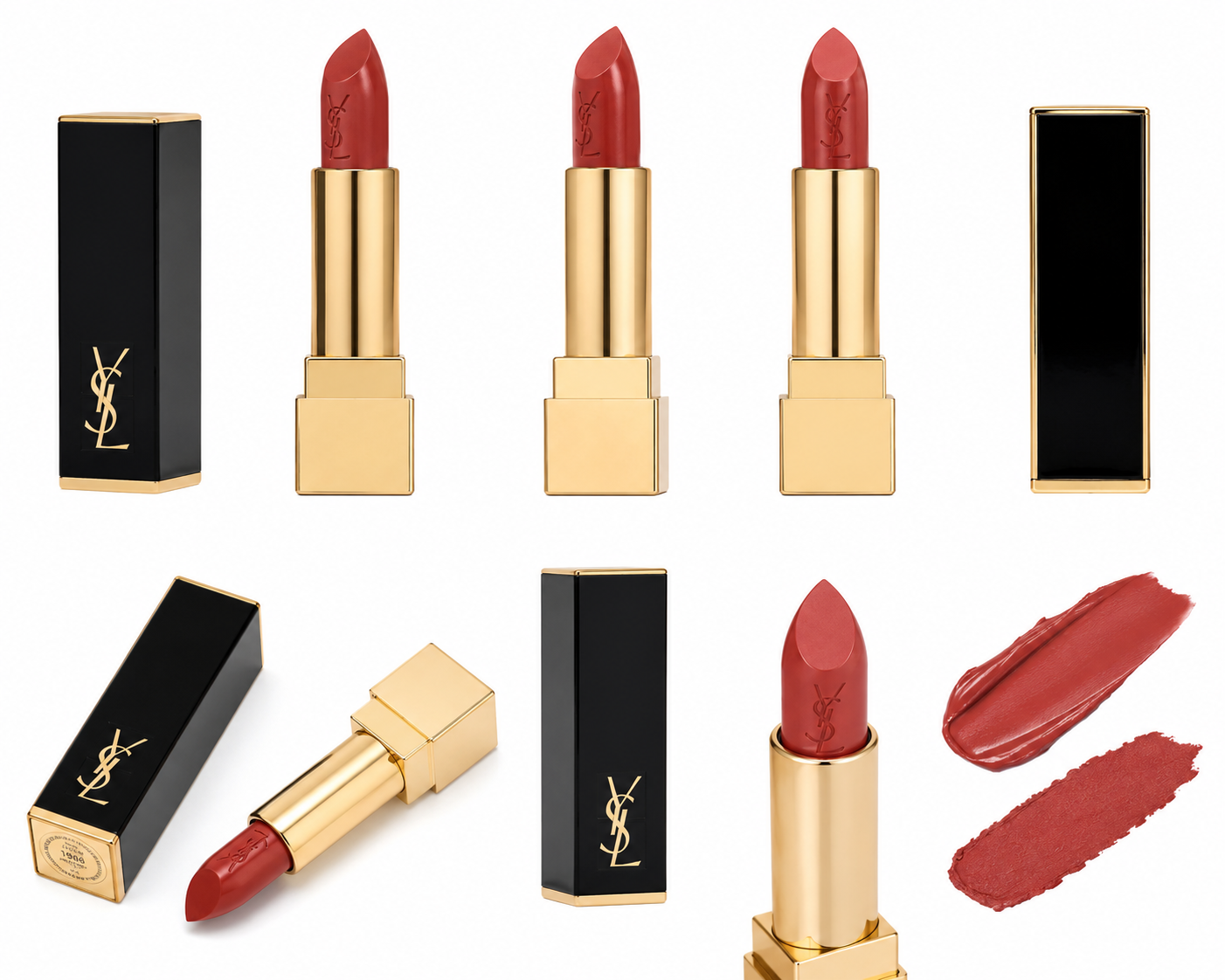
Before using ai image to video or image to video ai free tools, prepare clean product images from multiple angles. The goal is to give the model enough visual truth that it does not need to invent missing details.
Use this simple product image checklist:
| Image type | Why it matters |
| Front white-background image | Locks the label, logo, color, and main packaging shape |
| Side white-background image | Helps the model understand thickness and product depth |
| Back white-background image | Reduces guessing when the product turns or moves |
| Cap, lid, or opening detail | Prevents wrong caps, pumps, and closures |
| Texture or usage detail | Helps with creams, powders, liquids, fabrics, and surface finishes |
| Size reference image | Helps the product look natural in hand |
For Oumomo users, this preparation is especially important because product consistency is the difference between a usable TikTok ad and a video that looks impressive but cannot be published.
Step 3: Stop Thinking Like a TV Commercial
Many sellers try to make AI videos look premium. That instinct is understandable, but it often creates the wrong result.
TikTok UGC does not need to look expensive. It needs to feel believable.
A creator holding a product in a bedroom, bathroom, office, car, kitchen, hotel room, or small apartment can feel more persuasive than a perfect studio setup. The viewer wants to understand four things quickly:
- Does this product solve a real problem?
- Does it look easy to use?
- Does the person in the video feel believable?
- Can I imagine myself using it?
This is why ad creative ai should not only generate pretty scenes. It should generate platform-native behavior: casual hand movement, simple dialogue, imperfect framing, realistic lighting, and fast product proof.
Oumomo helps users create videos with TikTok-style pacing, short hooks, everyday scenes, and natural product handling. The goal is not to make the video look like a brand campaign. The goal is to make the video feel like a creator recommendation.
Step 4: Use Viral Videos as Structure, Not Something to Copy
One of the hardest parts of TikTok marketing is figuring out what kind of video structure will work.
You can study viral videos for hours, save a link to video, compare hooks, rewrite scripts, and still struggle to rebuild the same rhythm manually. The reason is simple: a viral video is not just a topic. It is a structure.
A useful structure includes:
- The first 1-2 seconds of movement
- The problem or curiosity hook
- The product reveal
- The creator’s facial expression
- The proof moment
- The pacing between shots
- The soft call to action
Oumomo’s viral remake workflow helps users start from a proven short-form structure instead of a blank prompt. Users can paste a url to video and use it as creative inspiration for a new product video.
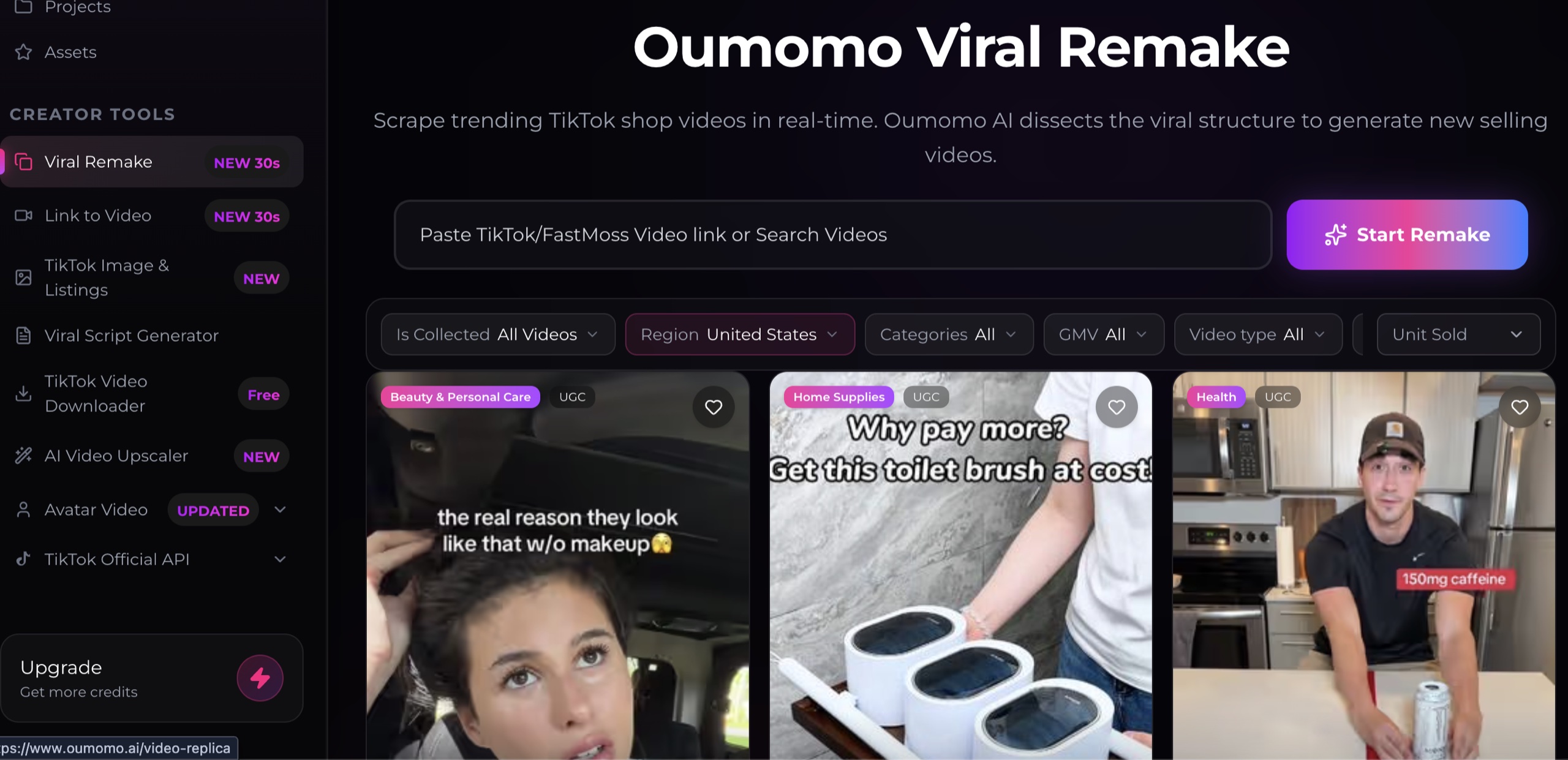
This does not mean copying another creator frame by frame. It means learning from the pacing, hook, problem-solution logic, and creator behavior that already works on TikTok, then adapting that structure to your own product.
For TikTok Shop sellers and ai dropshipping teams, this is useful because creative testing speed matters. You may need five hooks, three scenes, and several product angles before one video deserves more budget.
Step 5: Keep the Script Short, Human, and Slightly Imperfect
Another reason AI videos feel fake is the script.
Many AI-generated scripts use polished marketing language. They sound like a product page, not a person. Real UGC usually uses shorter lines, simpler claims, and more casual emotion.
Instead of writing:
This innovative product is designed to transform your daily routine with advanced features and premium quality.
Use a line like:
I did not expect to use this every day, but now it just stays on my desk.
Or:
This fixed the one thing that always annoyed me when I travel.
Or:
I bought it for one problem, but now my whole routine is easier.
The best TikTok dialogue often sounds like something a person would say without reading a script. It should be clear, specific, and slightly casual.
Oumomo helps turn product selling points into short spoken lines for ai ads, so the video feels closer to UGC instead of a scripted commercial.
Step 6: Match the AI Video Workflow to the Product Category
Different products need different UGC setups. A one-size-fits-all prompt will usually produce generic content.
| Product category | Better UGC scene | What to show |
| Beauty and skincare | Bathroom, vanity table, bedroom mirror | Texture, application, before-use feeling |
| Supplements | Kitchen, desk, morning routine | Habit, convenience, daily-use context |
| Home products | Living room, kitchen, laundry room | Problem, before-and-after, ease of use |
| Gadgets | Desk, car, travel bag, office | Quick setup, problem-solving, real scale |
| Fashion accessories | Mirror, closet, street scene | Fit, styling, movement, daily outfit |
| Pet products | Home floor, sofa, feeding area | Real interaction and practical benefit |
For ai dropshipping sellers, this is especially important. Dropshipping teams often test many products quickly, but a generic video can make every product look the same. A stronger workflow creates category-specific hooks, scenes, and product demonstrations.
This is where Oumomo works as more than a simple generator. It combines product input, prompt structure, viral remake logic, and TikTok-oriented creative workflows in one platform.
A Practical Oumomo Workflow for UGC-Style AI Videos
Here is a workflow you can use when creating AI videos for TikTok Shop or ecommerce ads:
- Upload 5-6 clear product reference images, preferably on a white background.
- Add the product name, target customer, main problem, and 2-3 selling points.
- Choose a realistic scene, such as bedroom, bathroom, office, car, kitchen, or travel setting.
- Add strong UGC constraints to block cinematic, TVC, and polished commercial styles.
- Keep the spoken line short, casual, and creator-like.
- Generate several versions instead of relying on one output.
- Test different hooks, opening actions, and product scenes.
- Use viral remake when you have a proven TikTok structure you want to adapt.
This workflow is more practical than asking an AI tool to “make a viral ad” with no direction. The more specific the input, the more natural the video usually feels.
Example Prompt for a UGC AI Product Video
Use this structure when creating a product video with Oumomo or another image to video ai tool:
Create a 15-second TikTok-style UGC product video for [product name].
Scene:
A casual everyday setting, filmed like a real creator video on a smartphone. The creator naturally uses the product in a realistic daily-life moment.
Hook:
Start with a relatable problem or curiosity-driven moment in the first 2 seconds.
Action:
Show the product naturally in hand, with realistic scale, lighting, and contact. Demonstrate one simple use case without over-explaining.
Dialogue:
Use one short natural spoken line. Keep it casual, not like an advertisement.
Style:
Strong native UGC realism, creator-shot feel, natural handheld movement, no cinematic lighting, no TV commercial style, no studio polish, no luxury product presentation.
Product consistency:
The product must match the uploaded reference image exactly. Do not redesign the packaging, label, cap, shape, color, texture, or size.
Restrictions:
No subtitles, no captions, no text overlays, no extra spoken words, no fake product details, no unnatural face, no frozen stare, no overacting.
This prompt is intentionally strict. It gives the AI a clear creative target and prevents the common mistakes that make AI videos feel artificial.
Frequently Asked Questions
How do I make AI videos feel like real UGC?
Use strong UGC constraints, realistic smartphone-style scenes, short natural dialogue, and clean product reference images. Avoid cinematic lighting, studio polish, perfect commercial framing, and redesigned product details.
Can I create ads for TikTok video with AI?
Yes. You can create ads for TikTok video with AI by combining product reference images, UGC-style prompts, short creator dialogue, and viral video structures. Oumomo helps make that workflow easier for sellers.
What is the best prompt style for ai ads?
The best prompt style for ai ads is specific and restrictive. It should describe the scene, hook, action, dialogue, product consistency rules, and negative constraints such as no cinematic lighting, no TVC style, and no product redesign.
How does ad creative ai help TikTok sellers?
Ad creative ai helps TikTok sellers test more hooks, scenes, product angles, and scripts without producing every video manually. It is most useful when paired with clear UGC direction and accurate product references.
Is image to video ai useful for ecommerce products?
Yes. Image to video ai is useful when sellers have clear product images and want to turn them into short-form videos. Multi-angle white-background images help the model keep the product accurate.
What is the difference between ai image to video and artificial intelligence image to video?
They describe the same basic workflow: using AI to turn still images into video. In ecommerce, this usually means uploading product images and generating short video scenes for TikTok, Reels, Shorts, or ads.
Are image to video ai free tools enough for TikTok ads?
Image to video ai free tools can help with testing, but sellers usually need stronger prompt control, product consistency, and UGC-style direction before the output is ready for TikTok ads.
Can Oumomo help with ai dropshipping creatives?
Yes. Oumomo helps ai dropshipping sellers turn product images, selling points, and viral video structures into TikTok-style video ideas faster, which is useful when testing many products.
Make AI Videos That Belong on TikTok
AI video generation is no longer only about making impressive visuals. For TikTok Shop sellers, the harder task is making videos that feel believable, native, and useful for product selling.
The strongest AI videos are not always the most polished. They are the ones that look like real UGC, show the product accurately, use simple creator dialogue, and match the way people actually watch TikTok.
Oumomo helps simplify that process by combining AI video generation, product-focused prompt structure, viral remake workflows, and TikTok-style creative logic.
Whether you are testing ai ads, scaling ai dropshipping creatives, using image to video ai, researching ai videos that went viral, or looking for ai marketing tools that support TikTok Shop content, Oumomo gives sellers a more practical way to turn product ideas into natural short-form videos.
Start creating UGC-style AI product videos with Oumomo:
https://www.oumomo.ai/