Quick answer
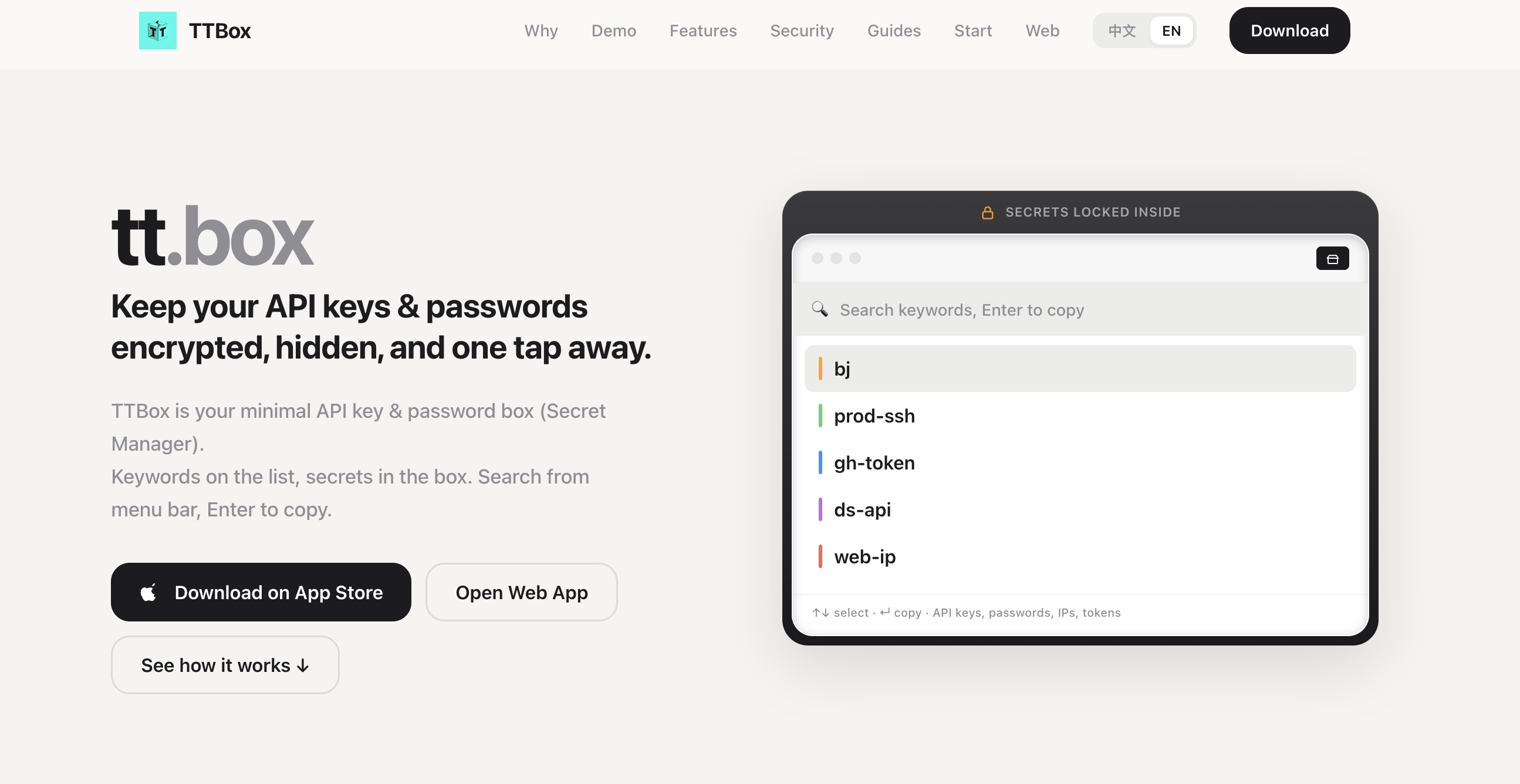
If you copy the same secrets every day—API keys, SSH passwords, tokens, server IPs—you do not need another full password manager. You need a small encrypted box where the list shows only a keyword, the secret stays hidden, and one search + Enter copies it. Tools like TTBox are built for that workflow: keyword in the list, ciphertext in the box, copy when you need it.
Developers rarely lose time because they “forgot a password manager exists.” They lose time because the secret is in the wrong place.
It lives in Notes.
It lives in a Slack DM with yourself.
It lives in a plaintext .env file on the desktop.
It lives inside a heavy vault that requires opening an app, finding a login entry, revealing a field, and copying one string.
For browser autofill and family logins, a full password manager still wins. For daily “find keyword → copy secret” work, that stack is often too heavy.
This article explains a cleaner pattern for developers, freelancers, and small teams who need speed without leaving secrets on screen.
Why common secret storage fails
1. Notes and chat apps are convenient—and visible
Notes apps are great for drafts. They are poor vaults.
A note titled keys or prod becomes a plaintext treasure map. Screen sharing, shoulder surfing, sync across unmanaged devices, and accidental search indexing all raise risk. Even if the note is “private,” the secret is usually readable the moment the note opens.
2. Clipboard history makes mistakes permanent
You copy a live Stripe key once. A clipboard manager stores it. A teammate later sees it during a screen recording. The secret did not leak because encryption failed. It leaked because the workflow treated sensitive text like ordinary copy-paste.
3. Full password managers solve a different job
Products built for autofill, passkeys, breach monitoring, and shared vaults are excellent at those jobs. They are less ideal when you only need to paste OPENAI_API_KEY into a terminal, IDE, or dashboard.
If your daily action is “search a short label and copy one string,” opening a full credentials suite adds friction without adding value.
What a developer-first secret box should do
A practical API key manager for copy-heavy work should optimize for five outcomes:
- Fast retrieval — search a keyword, press Enter, get the secret on the clipboard.
- Low visibility — the list shows labels, not the secret itself.
- Strong local encryption — secrets should be encrypted at rest with modern cryptography.
- Any text, not only logins — SSH passwords, tokens, IPs, short macros, recovery phrases used carefully.
- Clear boundaries — no pretending to replace browser autofill if that is not the product goal.
That is the gap between “password manager” and “secret copy box.”
A practical workflow that stays fast
Use this checklist whether you adopt a dedicated tool or tighten your current process.
Step 1: Separate “login vault” from “copy vault”
Keep website logins, cards, and shared family credentials in your main password manager.
Move high-frequency secrets—API keys, deploy tokens, SSH passwords, temporary admin strings—into a dedicated copy workflow. Mixing both in one overloaded vault often creates slow search and accidental reveals.
Step 2: Name secrets like search queries
Look for zero-knowledge design: the master password stays on your device, vault contents are encrypted before sync, and the service cannot read your secrets. Modern pairings such as Argon2id for key derivation and XChaCha20-Poly1305 for authenticated encryption are a strong baseline for local vault apps.
Step 6: Back up the unlock method, not the plaintext
If a vault is zero-knowledge, losing the master password usually means losing access. That is the trade-off. Store recovery materials offline and never leave the only copy of a master password inside the same notes app you were trying to escape.
Where TTBox fits
TTBox is a minimal encrypted API key and password box designed around one action: hint → copy.
Core ideas:
- The list shows keywords only; the secret stays in the encrypted box.
- Menu bar / quick search flow: find the label, press Enter, copy.
- Works for API keys, SSH credentials, IPs, and other short secrets you paste often.
- Touch ID / Face ID can unlock quickly while the master password remains the cryptographic key.
- Platforms include Mac, iOS, Windows, and Web.
- Pricing is intentionally simple: a free tier for a small set of secrets, plus a low lifetime option for heavier use.
What it is not:
- Not a browser autofill suite
- Not a passkey manager
- Not a breach-monitoring dashboard
- Not a replacement for hardware wallets as sole cold storage for crypto seed phrases
That honesty matters for SEO readers and for partner sites. The best guest posts recommend a tool for a specific job, not as a universal password replacement.
Example: moving off Notes in 10 minutes
- List the 5–20 secrets you copy weekly.
- Create a keyword for each one.
- Import or paste them into an encrypted box such as TTBox.
- Delete the plaintext note after verifying each copy works.
- Keep your full password manager for website logins.
Most people do not need a migration project. They need to remove the five secrets that create daily risk.
FAQ
Is an API key manager different from a password manager?
Yes. A password manager usually focuses on logins, autofill, and account hygiene. An API key manager—or secret copy box—focuses on encrypted storage and fast retrieval of strings you paste into terminals, dashboards, and scripts.
Can I keep using 1Password or Bitwarden and still use a copy box?
Yes. Many developers keep a full password manager for websites and use a lighter box for high-frequency secrets. The tools solve different parts of the same security problem.
Are notes encrypted enough if my device is locked?
Device lock helps, but notes are still easy to open, search, sync, and share accidentally. Encrypted vault apps are designed so the secret is not readable every time the list appears.
What should I store?
Good fits: API tokens, SSH passwords, short deploy secrets, server IPs, reusable macros.
Poor sole storage: crypto seed phrases that should live in hardware or offline cold backup.
Bottom line
If your secret workflow still starts in Notes, you are optimizing for typing, not for safety or speed.
Move high-frequency secrets into an encrypted copy workflow. Keep labels searchable. Keep ciphertext hidden. Copy only when needed. Use a full password manager where autofill matters, and a minimal secret box where paste speed matters.
If you want that second workflow ready-made, start with TTBox at tt.box—free for a small vault, built for keyword search and one-tap copy.
Publisher notes (for the partner site)
- Anchor text ideas (natural, not identical every time): “TTBox”, “minimal API key manager”, “encrypted secret box”, “tt.box”
- Do-follow vs sponsored: use
rel="sponsored"orrel="nofollow sponsored"if this is a paid placement; keep do-follow only when the site’s policy allows editorial links. - Ideal internal links on your site: related posts on developer security, password managers, SSH hygiene, or productivity tools.
- Image alt text suggestion:
Developer copying an API key from a keyword search vault instead of a notes app - Word count: ~1,100–1,200 (fits most guest-post guidelines)