Turn Videos into AI Video Prompts
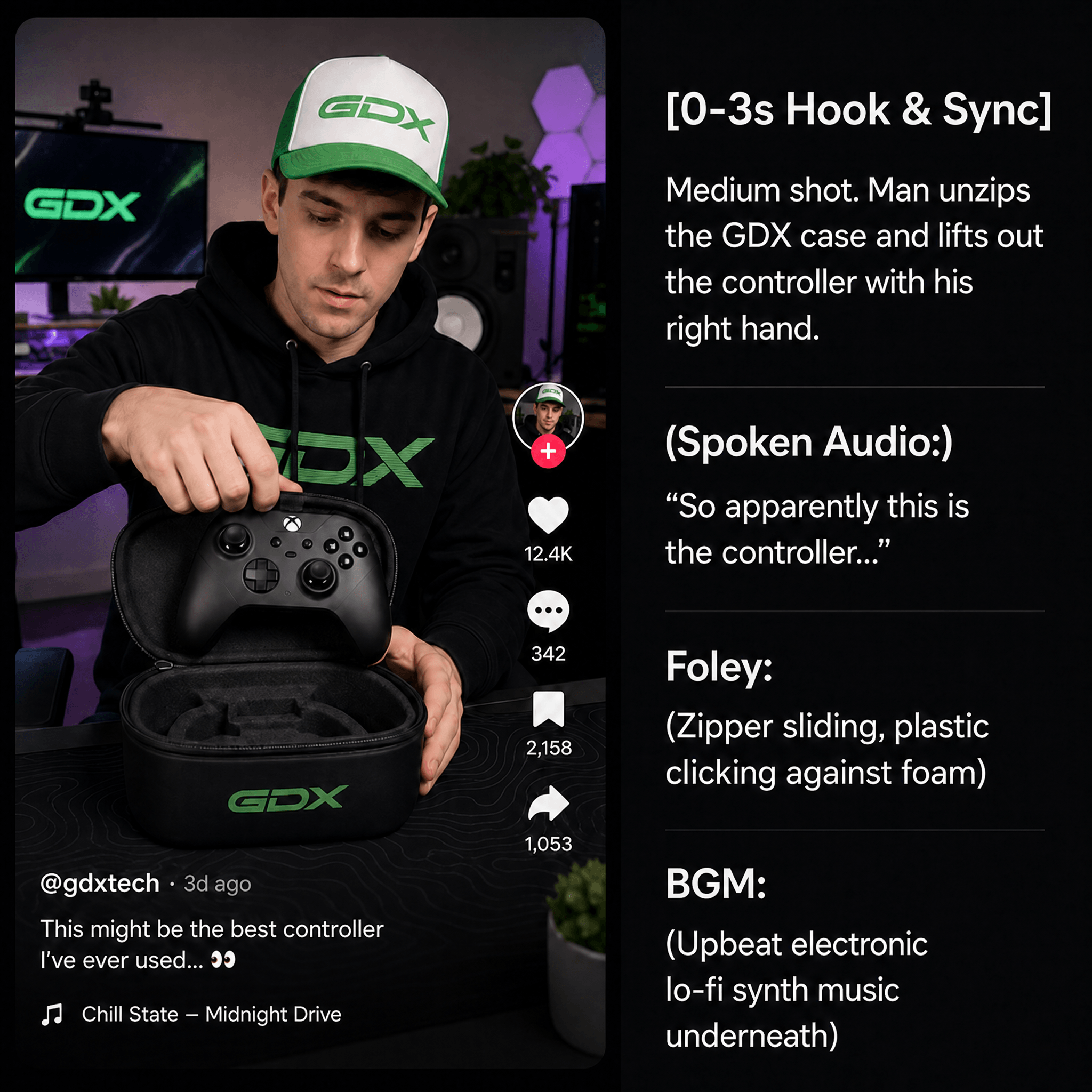
Add a TikTok or FastMoss link, upload a video, or choose one from Oumomo. Oumomo analyzes the first 60 seconds and creates an editable prompt for AI video generation.
Add Your Reference Video
Drag or click to upload
Local file / Oumomo project, max 500MB, <60 sec
Prompt
Video to Prompt FAQ
Oumomo Video to Prompt is a video to prompt generator that analyzes a video and turns it into an editable AI video prompt. It helps creators understand the scene, camera movement, actions, lighting, rhythm, and style behind a video, then reuse that structure with AI video models.
Add a TikTok or FastMoss video link, upload a local video file, or select a video from your Oumomo project. Oumomo analyzes the video content and generates a prompt that describes the timeline, scenes, camera movement, actions, lighting, rhythm, and visual style.
You can paste a public TikTok or FastMoss video link, upload a local video file, or choose a video from an Oumomo project. Local files must be under 500MB and shorter than 60 seconds. If you need to save a TikTok video first, use Oumomo’s TikTok Video Downloader before uploading it.
Yes. After Oumomo generates the prompt, you can edit it directly in the prompt box. Click Save Changes to sync the updated version to Oumomo, then find the saved prompt later in Projects.