Last updated: September 7, 2026
Quick Answer: The most useful TikTok ideas for craft sellers are not seven polished commercials. They are seven focused videos that each prove something different: what the product becomes, how it is made, who it is for, and why the details matter. Start with one clear design and four honest product assets, then turn them into distinct creative tests. A fuse bead seller, for example, can build the design in Meltbead, photograph the real piece, and use Oumomo to turn those assets into TikTok-ready video variations.
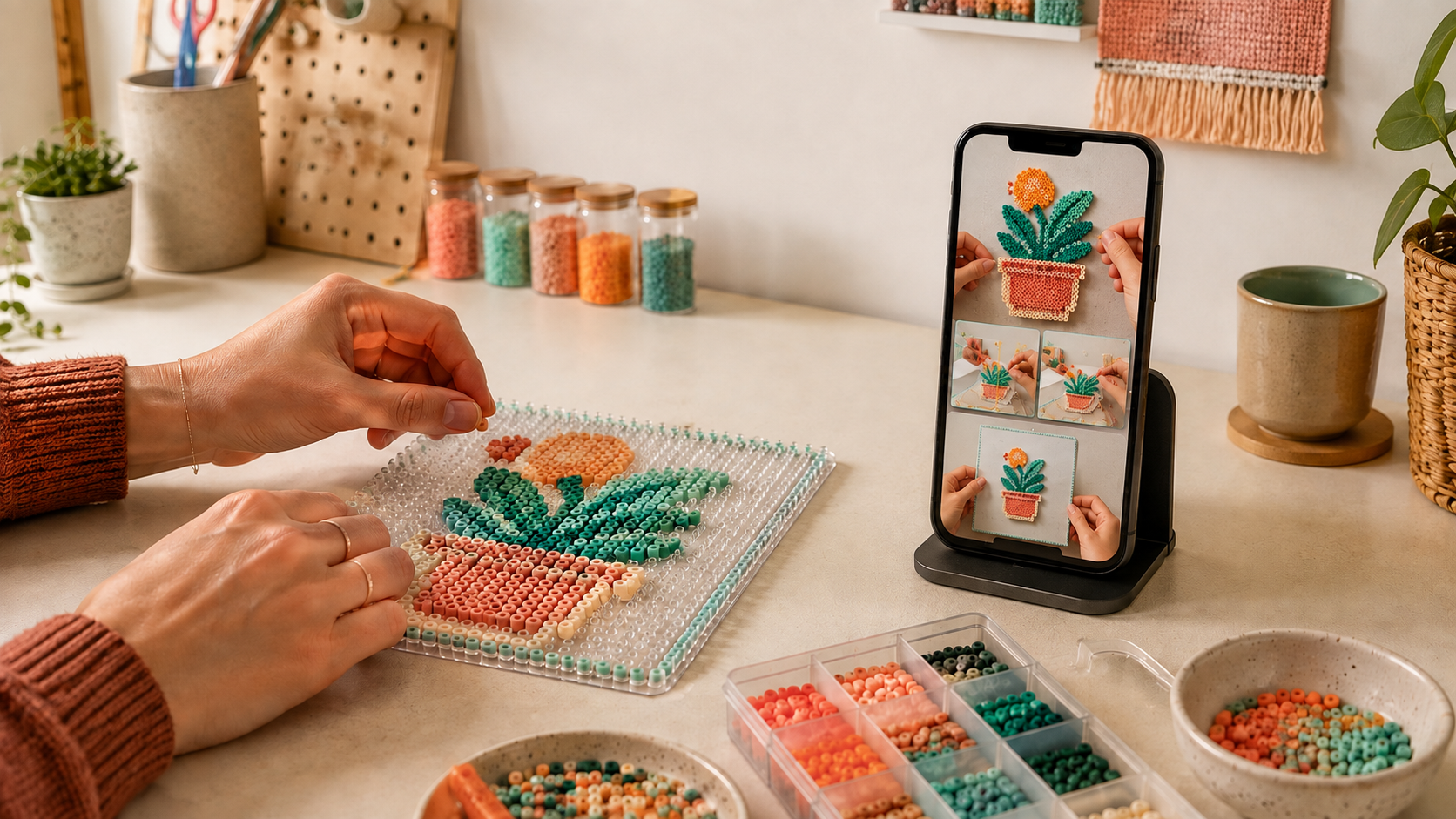
Handmade sellers have a content advantage that mass-market brands would love to borrow: the product already has a story.
There is a raw material, a process, a series of tiny decisions, and a final reveal. The problem is not finding something worth filming. The problem is turning that story into enough distinct videos to learn what viewers actually care about—without spending the entire week editing.
This guide uses a personalized fuse bead portrait as the running example, but the workflow works for crochet, ceramics, jewelry, embroidery, paper crafts, miniature kits, and other visually demonstrable products.
Why Handmade Products Need More Than a “Making Of” Video
The familiar overhead time-lapse is useful, but it usually asks one video to do too many jobs. It has to stop the scroll, explain the object, show craftsmanship, communicate personalization, and make someone want to buy.
A stronger approach is to separate those jobs into creative angles.
TikTok’s own creative best practices for performance ads recommend a TikTok-first format: vertical video, sound, a less-polished visual style, an early hook, clear selling points, and a direct call to action. TikTok also recommends continuous testing rather than assuming one format will work for every campaign.
That suits craft sellers. You do not need seven new products. You need seven different reasons to notice the same product.
Step 1: Build One Clear Product Story
Choose a product with a transformation that can be understood with the sound off.
For a fuse bead creator, that transformation could be:
Customer photo → editable bead pattern → beads on a pegboard → finished keepsake
The source image should be yours or used with permission. Avoid copyrighted characters, celebrity photos, or customer images you do not have permission to publish.
If you need a clean plan before touching the pegboard, the free Meltbead Perler Bead Pattern Maker converts a JPG, PNG, or WebP into an editable bead grid. You can correct individual cells, check color and bead counts, and export a PNG pattern, printable PDF, or CSV material list. It works in the browser without an account, and image processing stays on the device.
For other craft categories, this planning step may be a sketch, a color chart, a cutting template, or a clay mock-up. The point is the same: preserve the moment when an idea becomes a buildable object. That moment is content.
Step 2: Capture Four Honest Assets
Before opening an AI video tool, collect four simple assets from the real making process:
- The input: the approved photo, sketch, or customer brief.
- The plan: a pattern, template, color map, or material list.
- The process: one clear close-up of hands making the object.
- The proof: the finished product in natural light.
These assets keep the content grounded. AI can create motion, pacing, scene variations, and scripts, but the real product should remain the source of truth. Check every generated shot for changed colors, warped shapes, invented details, or misleading scale.
For small or intricate crafts, shoot closer than feels necessary. Texture, bead placement, thread tension, glaze, engraving, and edge finishing are often the details that justify a handmade price.
Step 3: Turn One Product Into Seven TikTok Creative Tests
Each video below tests one buyer motivation. Keep the product consistent so you can learn from the angle instead of changing everything at once.
| Creative angle | Opening hook | What to show | What it tests |
|---|---|---|---|
| 1. The reveal | “Wait until you see what this photo becomes.” | Source image, partial build, final piece | Curiosity and payoff |
| 2. The guess | “Can you recognize it before the last bead?” | Cropped process shots, delayed reveal | Comments and watch time |
| 3. The detail proof | “This portrait uses 11 colors—and every one matters.” | Color map, close-ups, finished texture | Craftsmanship and value |
| 4. The gift story | “A pet photo became a gift they can keep.” | Approved photo, making process, wrapped result | Emotion and gifting intent |
| 5. The beginner path | “You do not have to draw pixel art by hand.” | Pattern maker, editable grid, first few rows | Ease and accessibility |
| 6. The correction | “The first pattern looked wrong. Here is the one-cell fix.” | Before/after grid edit and improved result | Expertise and education |
| 7. The choice | “Warm background or cool background?” | Two real or accurately represented variants | Preference and product research |
Do not force every video into a hard sell. Some clips should teach, some should invite an opinion, and some should make the finished object desirable. The product link or call to action can become stronger once the viewer has enough context.
Step 4: Use Oumomo to Create Variations Without Losing the Craft
Once the real assets are ready, use Oumomo as the video production layer—not as a replacement for the maker.
Oumomo’s Viral Remake workflow starts from proven short-form structures rather than a blank prompt. Its URL to Video workflow can turn a product page into a shoppable video starting point. For a handmade product that does not yet have a listing, begin with the finished product image and the process assets instead.
A practical workflow looks like this:
- Browse relevant viral product videos and save structures that fit the craft: transformation, tutorial, close-up proof, reaction, or gift reveal.
- Upload a clear image of the actual finished item.
- Add supporting process images only when they help the story.
- Ask for one creative angle at a time. Do not combine the reveal, tutorial, review, and offer in one prompt.
- Generate in a vertical 9:16 format and keep the product inside TikTok’s safe area.
- Compare every generated shot with the real item before publishing.
There is no official integration between Meltbead and Oumomo. The handoff is intentionally simple: export your pattern or capture your approved design assets from Meltbead, then upload the selected visuals to Oumomo as part of the product-video workflow.
A 20-Second Fuse Bead Video Script You Can Adapt
Here is a concise structure for the reveal angle.
0–2 seconds — Hook
On-screen text: “I turned one photo into a fuse bead pattern.”
Visual: show the source image beside a quick glimpse of the bead grid.
2–6 seconds — Plan
Voiceover: “First, I mapped the colors and checked exactly how many beads I needed.”
Visual: pattern close-up, palette, and material count.
6–13 seconds — Process
Voiceover: “Then I adjusted the tiny details that made the portrait recognizable.”
Visual: hands placing beads, one correction, and a close-up of the face or focal detail.
13–17 seconds — Payoff
Voiceover: “Here is the finished piece.”
Visual: clean reveal in natural light.
17–20 seconds — CTA
On-screen text: “What photo should become a pattern next?”
Visual: hold on the finished work with two possible color variations nearby.
This script works because it gives the viewer a complete story without rushing: input, planning, skill, result, and next action.
What to Keep Real—and What AI Can Help Scale
The safest dividing line is simple: keep product truth real; use AI to scale presentation.
Keep real:
- The final item’s shape, size, color, texture, and finish
- Any customer image or personalization detail
- Claims about materials, durability, included pieces, and delivery
- Demonstrations that imply how the product functions
Use AI to help with:
- Turning still product images into motion-led scenes
- Testing several hooks around the same product
- Building alternate pacing and shot orders
- Drafting voiceovers, captions, and creator-style structures
- Localizing a proven concept for another audience
This balance matters especially for handmade goods. Buyers are not only purchasing an object; they are purchasing trust in the maker’s care and consistency.
A Simple Testing Plan for a Solo Maker
Publish the seven angles over one or two weeks. Change only one major variable per post and track the result in a small table.
| Post | Product | Hook | Format | Primary metric | Learning |
|---|---|---|---|---|---|
| A | Pet portrait | Transformation | 20s voiceover | 3-second hold | Did the reveal create curiosity? |
| B | Pet portrait | Guess the image | 15s text-led | Comments | Did participation beat explanation? |
| C | Pet portrait | 11-color detail | 25s close-up | Product clicks | Did craftsmanship support the price? |
Do not declare a winner from views alone. A high-view “guess the image” post may create comments, while a smaller “gift story” post may produce more qualified clicks. Match the metric to the job of the creative.
When one structure performs well, remake the structure with a new design rather than repeatedly reposting the same clip. That gives you a repeatable content system instead of a single lucky post.
Final Checklist Before You Publish
- Is the video vertical, clear, and readable inside the TikTok UI safe zone?
- Does the viewer understand the premise in the first three seconds?
- Is the real finished product visible long enough to inspect?
- Are colors, dimensions, materials, and included items accurate?
- Do you have permission to use the source image and audio?
- Is the caption specific to the craft rather than filled with generic hashtags?
- Does the CTA match the video—comment, follow, view the pattern, or shop?
- Have you reviewed TikTok’s current disclosure and commerce rules for your market?
From One Design to a Repeatable Content System
Handmade products do not need to imitate mass-market ads. Their advantage is visible transformation: an idea becomes a plan, the plan becomes a process, and the process becomes something worth keeping.
Start by creating one honest product story. For fuse bead projects, build and refine the pattern with Meltbead. Then use Oumomo to explore TikTok-native structures and turn the strongest real product assets into several focused video tests.
One product is enough to start. The goal is not to make one perfect ad. It is to discover which part of the making story your buyers want to watch—and give yourself a workflow you can repeat.
Frequently Asked Questions
What TikTok videos work best for handmade products?
Transformation reveals, close-up demonstrations, beginner tutorials, customization stories, and process corrections are strong starting points. The best format depends on whether you want watch time, comments, trust, or product clicks, so test each angle separately.
Can I make a TikTok product video from photos?
Yes. Start with clear photos of the real product and use image-to-video tools for motion, pacing, and scene variations. Review the output carefully so the generated video does not change the product’s appearance or imply features it does not have.
How can fuse bead sellers create custom patterns faster?
Meltbead’s free browser-based pattern maker converts an image into an editable fuse bead grid with automatic color matching, bead counts, and PNG, PDF, and CSV exports. The seller should still review and correct the pattern before making or promoting the final piece.
Do Meltbead and Oumomo integrate directly?
No. They are independent tools used at different stages. Meltbead helps plan a fuse bead project; Oumomo helps turn product assets and creative structures into TikTok-ready video variations.